
AutoCAD was created to be an all-in-one application used across many different fields: you can apply it to mechanical, architectural, construction and electrical design. It is a tool engineers can apply to almost anything, making work simpler. Because it covers so many fields, AutoCAD gives you foundational tools, and how well you use them depends largely on the engineer’s skills and on how the project team works together.
For that reason, Autodesk released specialized versions, including AutoCAD Mechanical, which offers every feature of full AutoCAD plus specialized features and an extensive parts library for mechanical engineering, boosting productivity and reducing repetitive work.
Get added value for free, plus extra benefits
With AutoCAD Mechanical, you still fully own full AutoCAD (with its own shortcut) along with the specialized Mechanical version. You only gain value without having to change anything: you can keep working the way you are used to in full AutoCAD, then gradually explore and improve productivity with the tools the specialized version provides.
What’s more, to bring customers the greatest value, OneCAD Vietnam, together with Autodesk, offers a free upgrade to AutoCAD Mechanical when you purchase full AutoCAD.
Since AutoCAD 2019
Autodesk has included the following industry-specific toolsets in a single AutoCAD package at no extra cost:
- AutoCAD Mechanical
- AutoCAD Architecture
- AutoCAD Electrical
- AutoCAD Map 3D
- AutoCAD MEP
- AutoCAD Plant 3D
- AutoCAD Raster Design
Consulting hotline 0919-019-964
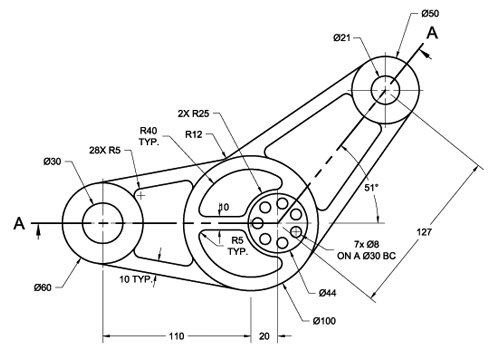

AutoCAD Mechanical
Built for mechanical product manufacturing, AutoCAD Mechanical is design software for engineers that includes all the functionality of standard (full) AutoCAD, plus an extensive library of standard mechanical parts and a set of tools that speed up the creation of mechanical CAD drawings.
- A library of more than 700,000 standard parts, which you can customize.
- Flexible layer management: isolate and restore layer settings, adjust linetypes and lineweights.
- Automatic part numbering (balloons) that works with bill of materials (BOM) creation and updates automatically when the design changes. Advanced parts lists for assembly drawings, automatic recognition of standard parts and support for customizing non-standard parts to streamline manufacturing.
- Create drawings from models built in Inventor, IGES and STEP files.
- Efficient design analysis, including shafts, springs, belts, chains and cams.
- Draw reusable mechanical components with intelligent drafting tools built specifically for mechanical design.
- Smart dimensioning using well-organized dialog boxes or flexible shortcuts.