
Autodesk CAM Solutions
Picture a mold shop with two 5-axis machines. A rush order arrives on Friday afternoon, but only one person knows how to program the difficult parts. He is on leave, and both machines sit idle waiting for a program.
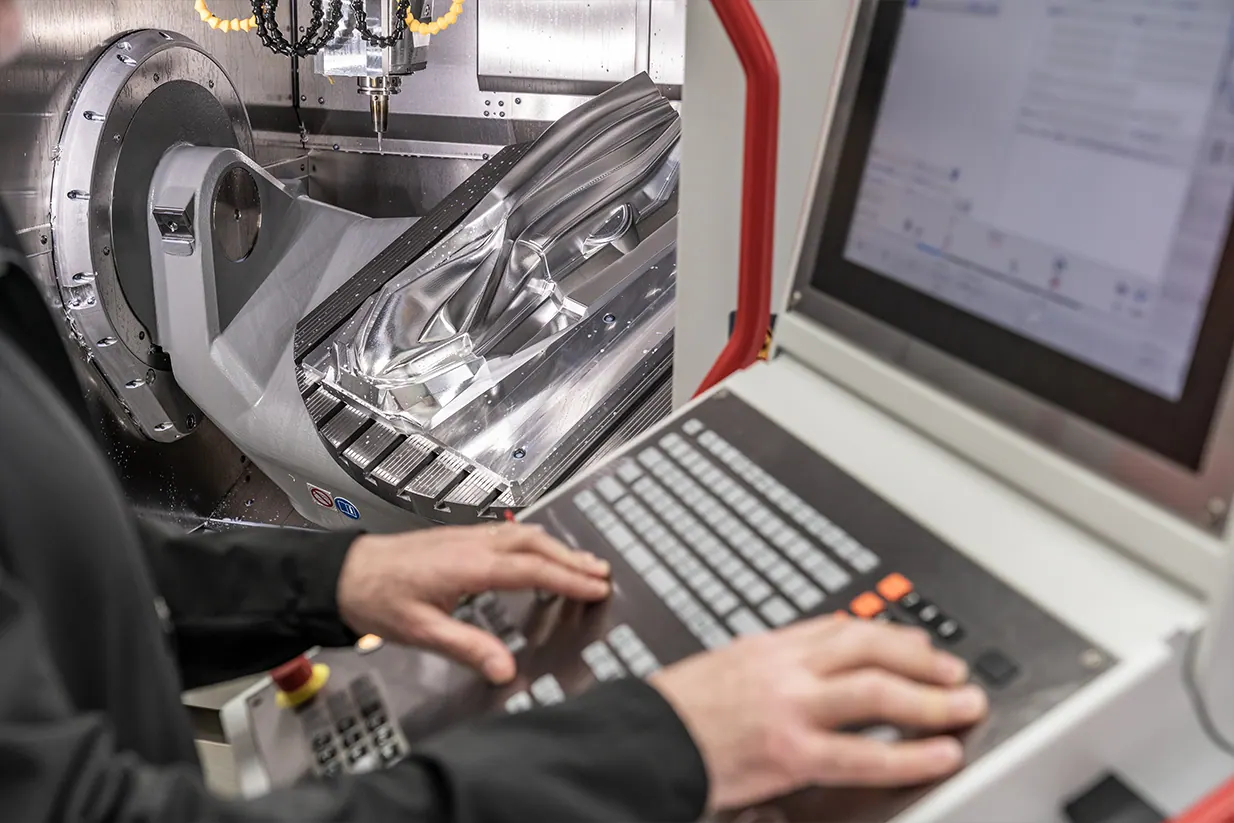
This situation is far from rare. Many shops have invested in expensive CNC machines, yet the bottleneck sits in programming: it depends on a few skilled people, each with their own way of working, and programs change with every design revision. However capable the machine, it is only as good as the NC program it receives.
This article helps engineering managers and plant directors answer three questions: what CAM software actually does, which industries use it, and which Autodesk solution fits their shop, from mold making to machine parts, furniture and industrial robots.
What is CAM software and how does it differ from CAD?
CAM stands for Computer Aided Manufacturing. In general, CAM software generates NC programs for many types of CNC machines and supports manufacturing processes such as milling, turning, cutting and 3D printing.
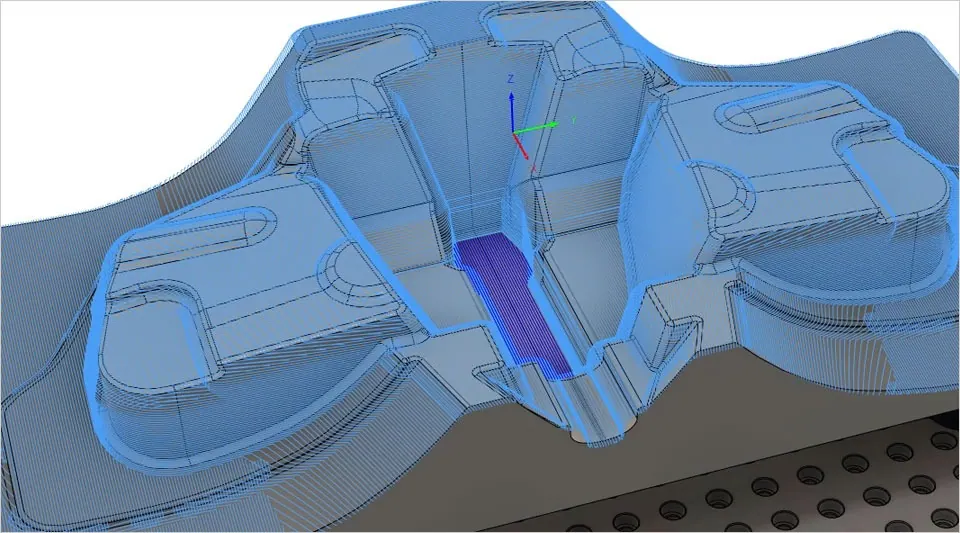
CAD (Computer Aided Design) helps designers create 3D digital models. CAM goes one step further: it writes the NC code that drives a CNC machine to produce the physical part. Put simply, CAD answers “what does the product look like”, while CAM answers “how do we cut it, with which tool, and in what order”.
Why not rely on manual programming alone?
CAM unlocks automation that hand-written NC code cannot deliver. CAM software includes algorithms that generate high-speed toolpaths by optimizing cutting forces and depth of cut for each material and tool, something that is hard to achieve by manual programming. For parts with complex geometry, creating toolpaths without CAM software is practically impossible.
Which industries use CAM software?
CAM is used in almost every area of manufacturing. According to Autodesk, four typical application areas are:
Automotive
Share best practices across manufacturing teams, from molds and fixtures to prototype parts.
- Suited to supply chains that depend on on-time delivery
Industrial machinery
Widely used in machinery casting and sheet metal fabrication to make components for industrial machines.
- Machining machine parts to tolerance
Consumer and medical products
Uses both subtractive machining and 3D printing to produce dental implants, restorations and many other medical parts.
- See an example of fully automated CNC machining of dental parts (in Vietnamese)
Aerospace
Producing high-strength parts with tight tolerances, typically in aluminum and titanium.
- See how machining time for aircraft engine blades was cut by 74% (in Vietnamese)
Standardizing machining processes: a bigger challenge than buying software
As shops move toward agile operations that adapt to market changes, standardization addresses the most pressing needs. A comprehensive CAM solution targets four things:
Identify capability gaps
See clearly what the shop can do in-house and what must be outsourced, for example from steel stock to finished molds and parts.
Process efficiency
Replace isolated, disconnected processes with a seamless workflow from design to machining.
Automation
Use a fully integrated system to eliminate redundant, repetitive work.
Simplification
Streamline training, support and management so new staff get up to speed faster.
To see how standardization applies to specific product types, read our three articles on standardizing mold manufacturing, mechanical products and furniture.
Which Autodesk CAM software should you choose?
Autodesk offers several CAM products because machine shops differ in machine types, part types and ways of working. The table below helps you narrow down the options quickly. A detailed, criterion-by-criterion comparison is in our article CAM Solutions for CNC Machining.
| Shop requirement | Suggested software | Key points |
|---|---|---|
| Molds and complex parts on 3- to 5-axis machines | PowerMill | Many modern toolpath strategies, automatic collision avoidance in 5-axis machining |
| Many repeat parts, a shortage of programmers | FeatureCAM | Automatic feature recognition (AFR); supports milling, turning, mill-turn and wire EDM |
| Design, machining and collaboration on a single platform | Autodesk Fusion | Cloud-based CAD, CAM and CAE; runs on both Windows and macOS |
| Already designing in Inventor | Inventor CAM | Embedded in Inventor; toolpaths update when the design changes; included in the Product Design & Manufacturing Collection |
How have manufacturers used Autodesk CAM solutions?
The two stories below both come from UK mold and precision part manufacturers, and show how CAM affects capacity and delivery speed.
RM Design & Engineering: from a single CNC machine to a six-person shop with a 5-axis machining center
Director Radj Many grew the company from a “one-man band” with a single machine into a team of six with a range of equipment, including a CMS Antares high-speed five-axis machining center. PowerMill lets the team combine toolpaths for multiple parts into one project, so they can take on larger jobs.
- Simulation and verification tools help spot problems early and avoid collisions.
- According to Mr. Many, when a challenge comes up, the support team usually provides a solution within an hour.
- PowerInspect was added to provide customers with quality inspection reports.
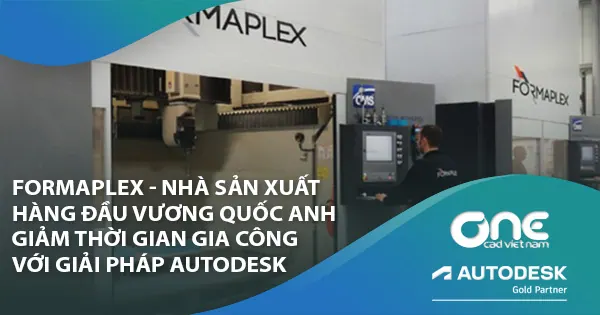
Formaplex: 5-axis machines running day and night with PowerMill
Formaplex, an injection mold maker in Hampshire with more than 400 employees and 44 five-axis and three-axis machines, needed a faster process to meet tight deadlines. According to the company, PowerMill calculates high-quality toolpaths faster than its previous software, keeping the machines running continuously.
- Automatic collision detection and avoidance gives operators confidence when machines run overnight.
- PowerShape and PowerMill work side by side, reducing trips back to the design office when surfaces are broken.
- PowerInspect checks part dimensions during machining.
OneCAD supports your CAM implementation
OneCAD has been an Autodesk Gold Partner since 2017 and an Autodesk Authorized Training Center (ATC) since 2016, and was recognized as a Service Provider Select in 2020. For a machining team, this means you get both the licenses and people who work alongside your programmers until programs run reliably on the machines:
- Assessment: we review your machines, part types, materials and current programming practices.
- The right product: we recommend software that matches your needs, so you neither overbuy nor underbuy.
- Training: user training to Autodesk standards, plus workshops and webinars on machining programming.
- Technical support: close support with difficult parts, version updates and process optimization.
Learn more about OneCAD or read about choosing between Fusion for Manufacturing and standalone CAM software (in Vietnamese).
Frequently asked questions about CAM software
Does a small shop need CAM software?
For simple parts, manual programming can still do the job. For complex or multi-axis parts, or when designs change often, CAM software calculates optimized toolpaths that are hard to achieve by hand. FeatureCAM and Inventor CAM are two good places to start.
How does PowerMill differ from FeatureCAM?
According to Autodesk, PowerMill focuses on high-speed, multi-axis machining of molds and complex parts on 3- to 5-axis machines. FeatureCAM automates feature-based programming for milling, turning, mill-turn and wire EDM.
Can Autodesk CAM be used for robots?
Yes. PowerMill supports programming and simulation for industrial robots through the PowerMill Robot extension. Details are in our article Industrial Robot Applications.
Which collection includes Inventor CAM?
Inventor CAM is distributed in the Product Design & Manufacturing Collection, which includes a range of design, validation and manufacturing tools for the mechanical engineering industry.
How do I get started?
Contact OneCAD and our engineers will review your machines and part types and recommend the right software.
Start with a real part from your shop
The most convincing test is a trial run on a part you are machining today. Leave your details and a OneCAD engineer will discuss your needs and help you choose the right CAM solution, or call our hotline 0919-019-964.
Related products


Buy a FeatureCAM license from OneCAD Vietnam. Autodesk FeatureCAM automates CAM programming for CNC milling, turning, mill-turn and wire EDM.


Buy a PowerInspect license from OneCAD Vietnam. Autodesk PowerInspect simplifies inspection of complex surfaces on CMMs, portable devices and CNC machines.

Buy a PowerShape license from OneCAD Vietnam, Autodesk Gold Partner. CAD modeling for molds, dies and electrodes alongside PowerMill and FeatureCAM.


PowerMill 5-axis CAM software from OneCAD Vietnam: advanced CNC programming, collision avoidance, simulation, and Standard vs Ultimate compared.