
Standardizing Mechanical Product Manufacturing Processes
Imagine your plant receives a rush order while your two best programmers are busy with other work. Someone who joined three months ago has to choose the tools, choose the cutting strategy and decide how to measure on their own, and everyone does it differently.
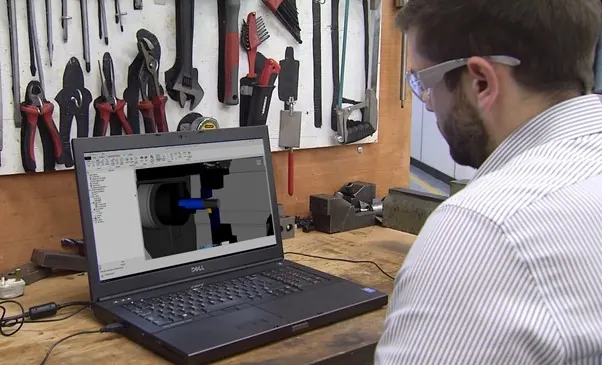
Reducing production time to get products to customers faster, making full use of modern machinery and ensuring consistent quality in volume production are requirements every manufacturer aims for. Getting there takes two things: modern machinery, such as high-precision CNC machines that can produce complex parts, and a skilled, experienced team.
Machines can be bought. Experience is harder, and this is the real bottleneck for many plants: the skills gap between experienced and new staff, and the time it takes new staff to meet the company’s requirements.
Why standardize mechanical manufacturing processes?
Product quality depends on two human capabilities: operating machines with the right technique, and using CAM software flexibly to choose the right machining method. Both take a lot of time and experience. Standardizing processes and using unified software helps you:
- Shorten onboarding time for new staff and narrow the experience gap.
- Increase your production capacity.
- Ensure quality no matter who is doing the machining.
- Deploy staff flexibly, especially for rush orders or temporary staff shortages.
For dedicated mold shops, the view on analysis, machining and inspection specific to molds is covered in standardizing the mold manufacturing process. This article focuses on mechanical products in general: machine parts, fixtures and assemblies.
Three pillars of standardization: design, machining, inspection
Standardized design
Parametric models, iLogic automation rules and centrally managed data with Vault.
Standardized machining
FeatureCAM captures machining experience as parameters; PowerMill handles complex parts.
These steps fit together because they all use the same 3D model; if you are just getting started, see 3D Design.
FeatureCAM: capturing machining experience as parameters
Machining knowledge and experience can be captured as settings in the software, which then applies them flexibly to product types that have already been standardized. Whether an employee is experienced or new, everyone follows the same method with the same parameters, so quality is always at the level of your best people.
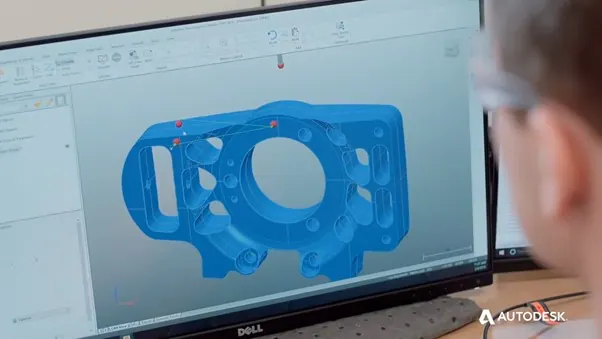
Automate standardized products
The time saved through automation goes into improving products and processes instead of repeating product types that are already standardized.
- One method, one set of parameters
One interface for many machines
The software supports many types of machine tools, so users see the same interface whichever machine they use.
- Shorter training time
Learn more about FeatureCAM and CAM solutions for CNC machining; for special applications such as robot programming, see industrial robot applications.
PowerInspect: automated inspection based on CAD data
For final quality control, PowerInspect automates measurement based on the specifications in the CAD data, for most types of equipment:
- Coordinate measuring machines (CMM).
- Portable measuring arms.
- Scanners that compare against 3D CAD data.
- CNC machine.
As a result, the measuring method does not depend on who is measuring, and reports can be shipped with the order. For details, see PowerInspect for inspecting mechanical products.
How have mechanical plants standardized?
The following two stories illustrate two sides of standardization: faster machining programming, and consistent design data from the engineering department to the shop floor.
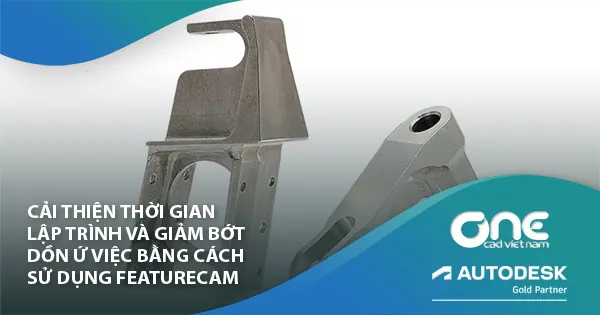
Bright Engineering: FeatureCAM removes the programming bottleneck
Bright Engineering (Lancashire, UK) mills and turns precision parts for aerospace, oil and gas, and medical customers. The company had only one programmer fluent in its old software, causing downtime whenever a new program was needed for the second shift. They chose FeatureCAM, partly because the local college teaches the software, making it easier to recruit new staff.
- Managing Director Jon Hoyle says FeatureCAM and the training package removed the bottleneck and improved programming time by up to 50%.
- Overall efficiency of the milling operation improved by up to 25% within six months.
- Clearer documentation for operators means faster job setup with fewer errors.
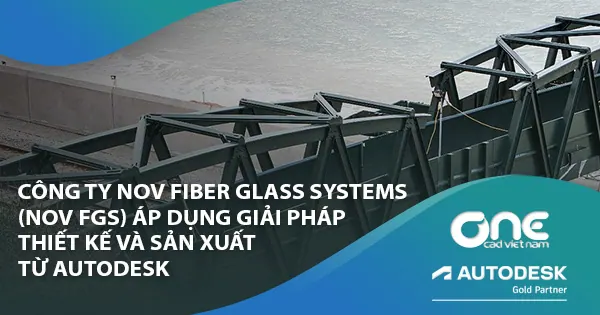
NOV Fiber Glass Systems: Inventor, Vault and PowerMill on one source of data
NOV FGS (Plymouth, UK) manufactures complex fiberglass structures for the marine, oil and gas, and construction industries. Base designs in Inventor are stored in Vault so that all departments work from one source of data; PowerMill uses custom macros to generate 3- and 5-axis toolpaths.
- Ben Holmes, Design Manager, says work that used to take 3–5 days now takes about 20 minutes.
- Less CAM programming time and less risk of human error.
- Traceable data when it is checked back into Vault.
On the design side, GEA also uses iLogic and Vault to build custom systems from standard components; in some cases engineering time dropped from 3 weeks to 2 hours (see the GEA story).
Data management: the foundation of standardization
A standard process only holds when everyone uses the right version of the data. Vault manages design data centrally, tracks revisions, controls permissions and integrates directly with Inventor and AutoCAD. See comprehensive data management solutions from Autodesk Vault, what PDM software is and iLogic in Inventor for design automation. For sheet metal products, see applying Inventor.
OneCAD supports mechanical manufacturers
OneCAD Vietnam has been an Autodesk Gold Partner since 2017, and is the first and only company in Vietnam certified as an Autodesk Authorized Training Center (ATC) since 2016 and Autodesk Service Provider Select since 2020. We help plants choose the right product group to standardize first, set up machining parameters and inspection processes, and then train staff so newcomers quickly work to the standard. About OneCAD.
Frequently asked questions
Does standardization reduce flexibility in machining?
No. The software applies the captured parameters flexibly to standardized product types, and the time saved is used to improve products and processes.
How does FeatureCAM differ from PowerMill?
This article uses FeatureCAM to capture machining experience as parameters and for automation, and PowerMill for complex, multi-axis parts. See FeatureCAM and PowerMill.
Which measuring equipment does PowerInspect support?
Most types: coordinate measuring machines (CMM), portable measuring arms, scanners that compare against 3D CAD data, and even CNC machine tools.
Where should a company start?
With the product group you repeat most often: standardize its machining parameters and measuring method, then expand. Contact OneCAD for an assessment.
Contact us for a consultation
Contact OneCAD to discuss your plant’s current processes. Leave your details and an engineer will get back to you.