

AUTODESK® INVENTOR PROFESSIONAL.
Professional 3D Mechanical CAD Design Software
Autodesk Inventor provides a full suite of functionalities found in a professional 3D CAD design software. Its parametric-based design process allows for quick model modifications without the need to redraw from scratch. The software supports 2D drawing generation synchronized with 3D models according to international standards, as well as the creation of videos and presentation images from assembly drawings, facilitating the production of presentation materials or instructional documents.
Let’s explore professional design environments in
Autodesk Inventor Professional
Part Design
Parametric mechanical part and product design. Quick and easy editing and updates.
Assembly Design
Assemble parts in a specialized environment, create constraints, and define movements
Drawing Creation
Generate drawings and manufacturing documentation, seamlessly synchronized with AutoCAD and DWG format.
Presentation
Create presentation videos and instructional documents for assembly, usage, and visual annotations for customers.
Standard Design Environment

Inventor provides a full range of functionalities and work environments of a professional mechanical design software.
- Parametric Design
- Professional Assembly Environment
- Create and edit quickly with Freeform and Direct Edit tools
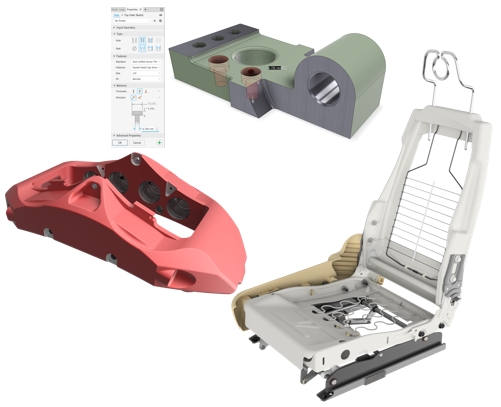
Parametric Modeling
With Parametric Modeling, your design becomes smarter and more flexible. You can easily modify any dimensional parameters on the model without having to redraw the entire design, saving significant time when working with clients and partners. This accelerates product completion and enhances efficiency.

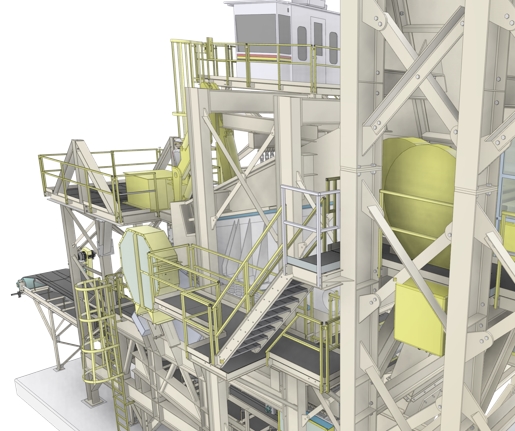
Assembly Modeling
Autodesk Inventor provides a professional environment that enables users to assemble and integrate multiple parts and subassemblies into a complete mechanical structure. You can quickly load components, define constraints, simulate motion, create assembly drawings, generate a Bill of Materials (BOM), and detect and resolve interferences within the model.
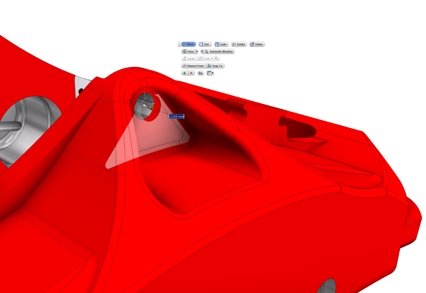
Direct Modeling
When working with imported models that do not retain edit history or when you simply need to make minor adjustments to a complex model, the Direct Modeling feature in Autodesk Inventor allows you to identify specific areas for modification and apply direct edits to the 3D model quickly and efficiently.
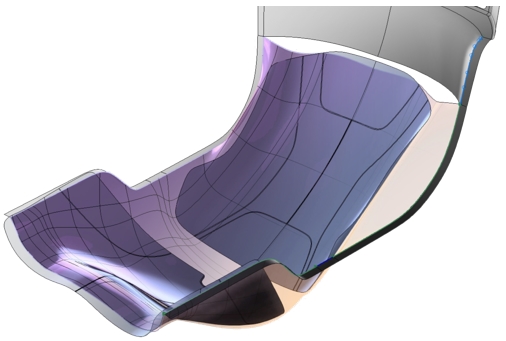
Freeform Modeling
For products with complex shapes and diverse geometric surfaces, using traditional functions like splines and surface sketching can be time-consuming and labor-intensive. During the conceptual design phase, don’t let intricate shapes slow you down. Inventor provides the Freeform tool, allowing you to create complex shapes quickly and smoothly with an intuitive user interface.
Create Drawing and Presentation Documents (2D & 3D)
You have created and designed amazing products—don’t let documentation slow you down or become an obstacle. Autodesk Inventor provides a dedicated environment for generating drawings and design-related documents quickly and efficiently.
- Create complete 2D drawings with full compliance to industry standards.
- Automatically generate a Bill of Materials (BOM) fully synchronized with the 3D model.
- Fully compatible with the DWG format.
- Support for adding dimensional annotations directly on the 3D model (Model-Based Definition).
- Synchronized with AutoCAD software.
- Create assembly or instructional presentation videos and documents.
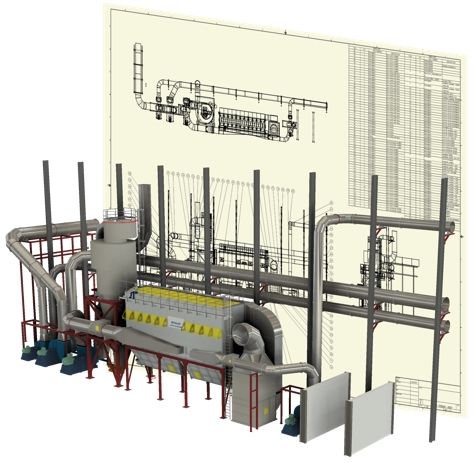
Provide a complete set of tools for quickly generating 2D drawings from 3D models
Inventor Professional provides a comprehensive set of standard tools that enable users to create clear, precise, and fully detailed drawings that meet technical standards, supporting the manufacturing process.
Quickly set up BOMs, annotations, dimensions, and numbering. All 2D drawings are fully synchronized with the 3D model—any updates to the 3D model will automatically reflect in the drawing.
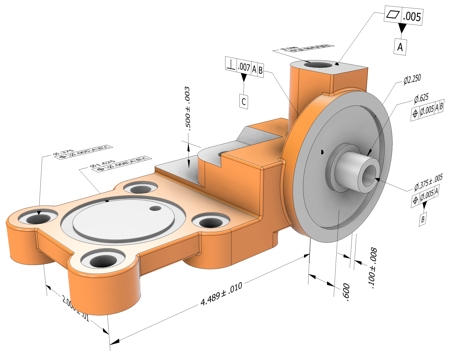
Model-Based Definition
With the increasing demand for design data that enhances manufacturing efficiency, Inventor provides annotation and definition tools directly on the 3D model. This includes dimensions, manufacturing notes, and tolerances, allowing for a clearer understanding of the model. This feature is especially useful for CNC programming, ensuring precise tolerances and surface finishing annotations.
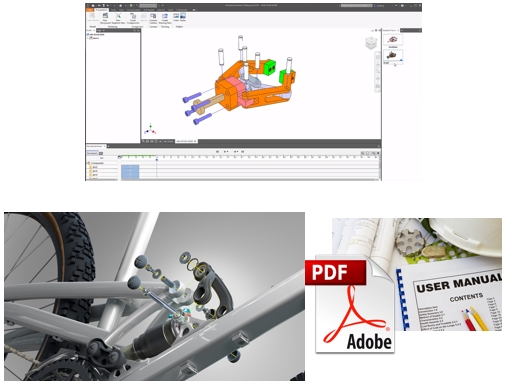
Presentations
Inventor provides an environment that helps users create user manuals or technical publications for their designs. The software offers all the necessary tools to generate engaging and visually intuitive content without the need for separate software.
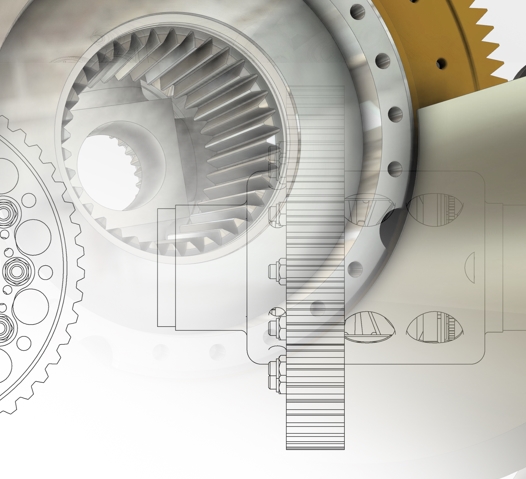
Compatible with AutoCAD
The benefits of 2D drawings in technical design are undeniable, and we should continue to leverage them. Inventor provides workflows that take advantage of 2D drawings through 3D modeling. The seamless synchronization between Inventor and AutoCAD ensures that documents are updated automatically and efficiently.