

AUTODESK® INVENTOR PROFESSIONAL.
Professional 3D Mechanical CAD Design Software
The design of mechanical products and systems often requires collaboration among many people and partners, with a high demand for communication between businesses and customers. Autodesk provides sharing and collaboration solutions to simplify the workflow.
Let’s explore collaboration and data-sharing solutions in
Autodesk Inventor Professional
Collaboration in the Design Process

Autodesk Inventor places great emphasis on connectivity during the design process, enabling collaboration between design team members, the company and its partners, as well as the company and its customers.
- The AnyCAD feature supports reading design files from other CAD software.
- Compatible with Vault, a professional Product Data Management (PDM) software.
- Supports the Autodesk Drive cloud storage platform.
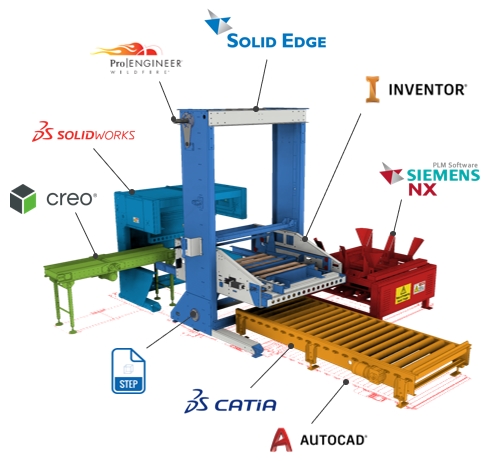
AnyCAD – When software is no longer a limitation
When working with multiple partners, it is inevitable that some will use different CAD design software. Autodesk Inventor makes this process easier with the AnyCAD feature, eliminating the need for conversion, importing, or any intermediate steps when receiving files from partners. Whether they use SolidWorks, Creo, Catia, or other software, these files can be read directly within the Inventor environment. Additionally, any changes made to the original files will automatically update the data in Inventor.

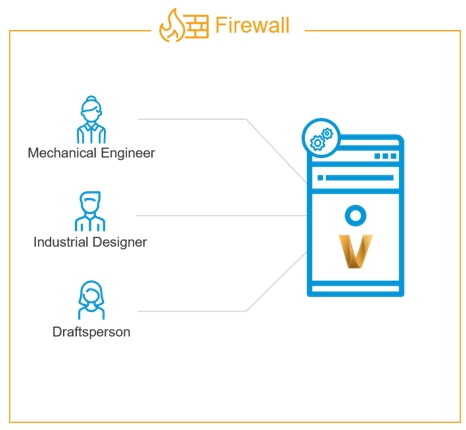
Compatible with Vault data management software.
Managing design data becomes crucial as a company’s data volume grows. Traditional storage methods using hierarchical folder structures can overwhelm engineers and increase the risk of errors, leading to data loss. Additionally, searching for data can be time-consuming. Autodesk Vault is Autodesk’s solution to this problem, offering features such as search capabilities, security, access control, design copying, versioning, change history storage, and many other functions.
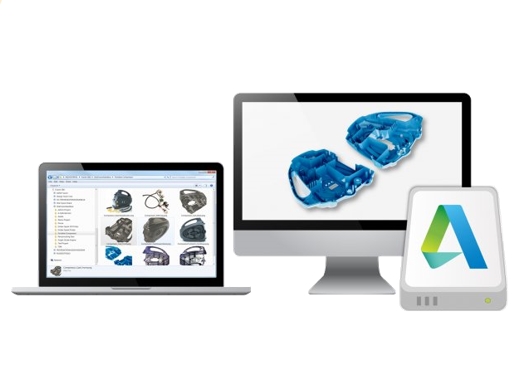
Autodesk Drive Storage
Autodesk Drive helps organize, preview, and share all types of design data. It supports over 60 file formats, including third-party software files, allowing direct viewing. Autodesk Drive provides 25GB of storage and can be securely accessed via cloud technology or a desktop application.
Sharing Designs via Cloud Platform
Autodesk is actively developing cloud storage technology to optimize the user experience in collaboration and communication throughout the design process.
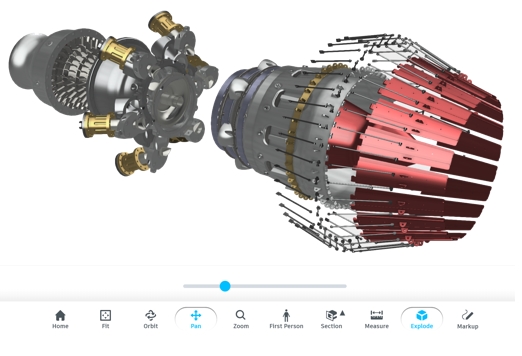
Autodesk Shared Views
How can you share your designs with internal teams or clients while ensuring the security of your design files? Autodesk provides the Shared Views tool through its cloud platform, allowing you to easily share designs and receive feedback from partners and clients—regardless of their device or location—without requiring them to install any CAD software. All models can be viewed directly in a web browser. Most importantly, your data remains secure, and shared users can view, measure, explode assemblies, leave comments, and provide evaluations.