

AUTODESK® INVENTOR PROFESSIONAL.
Professional 3D Mechanical CAD Design Software
Autodesk recognizes the user experience as a crucial factor in creating high-quality products. With each version, Autodesk continuously improves and adds new tools to help engineers save design time while enhancing the accuracy of every product.
Let’s explore the specialized tools and user experience
in Autodesk Inventor Professional
Work Efficiency
With each new version, the software’s performance is enhanced, significantly improving loading speed and efficiency when working on drawings.
Standard Library Package
Inventor provides a library of standardized components that comply with international standards, featuring over 750,000 parts that can be easily customized or expanded.
Automated Programming
Inventor provides customizable design programming environments with iLogic and API, enabling users to have full control over the software.
Specialized Tools
A wide range of specialized tools provided by Inventor helps save time and effort, allowing users to focus on product quality.
Optimize Design Experience

Autodesk Inventor Professional continuously improves with each version to deliver the best user experience. It helps users save working time and stay fully focused on design quality.
- Superior Work Performance.
- Extensive Standardized Component Library.
- Optimize Part Mass and Material.
- Automated Design and Customization Tools (iLogic, iPart, iAssembly…)
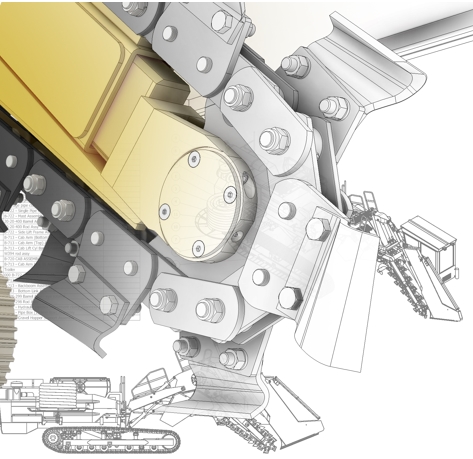
Significantly Enhanced Work Performance.
Autodesk understands that work performance is a key factor valued by users and significantly impacts project timelines. With continuous improvements in each version, Inventor now delivers exceptional performance across all work environments, from design to assembly. This minimizes model processing time, allowing users to focus more on enhancing design quality and improving the overall user experience.

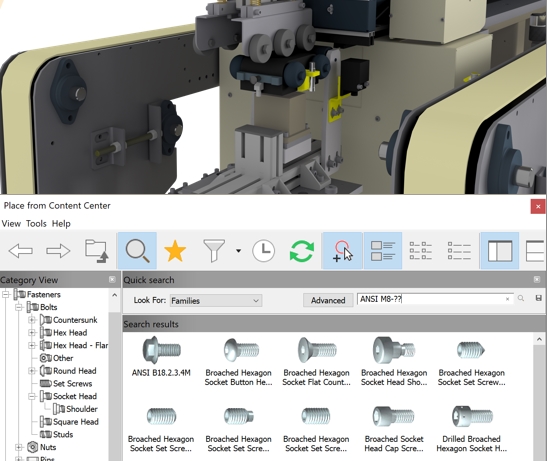
Provide an Extensive Standardized Component Library.
Autodesk Inventor features a dedicated library called Content Center, allowing users to generate over 750,000 standardized components, including bolts, shafts, routing systems, and steel structures. This library supports more than 18 international standards, including ISO, ANSI, and DIN. Additionally, users can add and manage their own custom components. Content Center is one of Inventor’s key advantages, accelerating the design process by enabling users to simply select components from the library and input the required parameters—eliminating the need for manual drawing and modeling of each part.

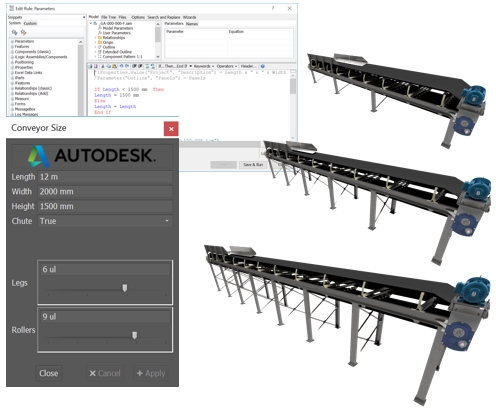
Automated Design Programming System iLogic
Rule-based design is one of the most powerful and efficient solutions for saving time. By predefining design rules through the iLogic programming tool, Inventor enables users to reconfigure designs to meet customer demands for product customization. This programming solution reduces the time spent on repetitive tasks by converting them into predefined rules within iLogic.
Provide specialized tools
Instead of wasting time searching through theoretical design documents, Inventor provides users with a series of specialized toolsets with parameter input forms that generate designs according to technical standards.
- Sheet metal
- Frame design
- Tube & Pipe Design Toolset and Library
- Cable, Wire & Harness Design Toolset
- Plastic Part Design Support Toolset
- Mold Design Toolset
- Powerful Design Calculation Support Toolset (Design Accelerators)
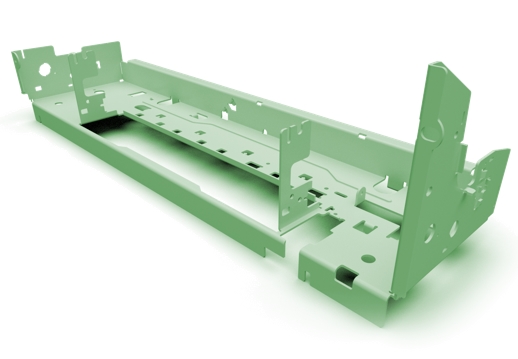
Sheet Metal
The Sheet Metal design environment in Autodesk Inventor allows you to create components with a material setup and fabrication layout process. Designs adhere to industry standards for bend angles, fillets, and precise flat patterns that meet machining requirements. The product can be unfolded into a flat pattern with just a few clicks.
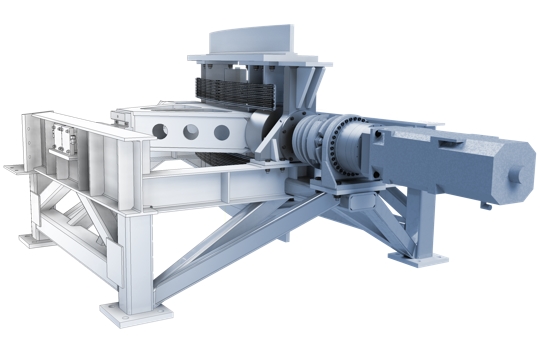
Frame Design
Frame structure design with standard configurations and corner processing is a relatively simple but repetitive task. Inventor provides a frame design tool to simplify the design process with dedicated toolsets for inserting frames and quickly analyzing frame performance.
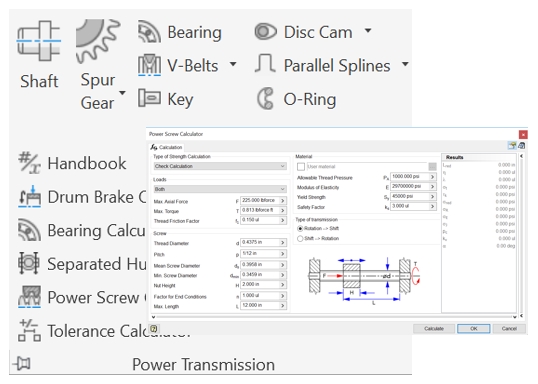
Machine Part Design and Calculation
Inventor provides the Design Accelerators tool, allowing users to quickly calculate and create machine components (gears, worm drives, springs, washers, etc.) according to standards through pre-programmed forms. This significantly saves modeling time.
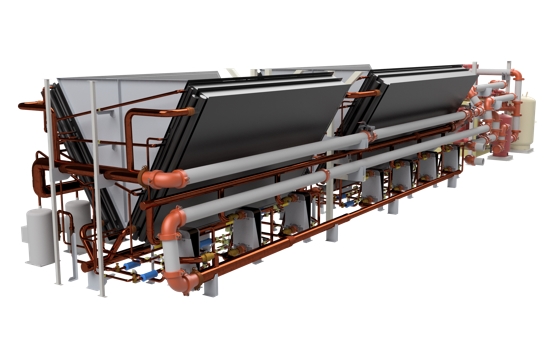
Tube & Pipe Design
Inventor provides a toolset for Tube & Pipe design within the assembly environment. This tool adds design options for routing pipes, bending fittings, and assembling mechanical or product designs.
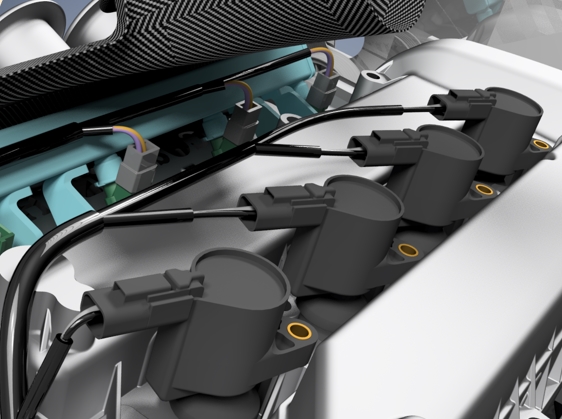
Wire & Harness Design
Inventor provides tools to support the design and manufacturing of conduits for your designs. Its automatic routing capability saves time, allows for setting minimum bend radius, and automatically generates path drawings through the 3D model.
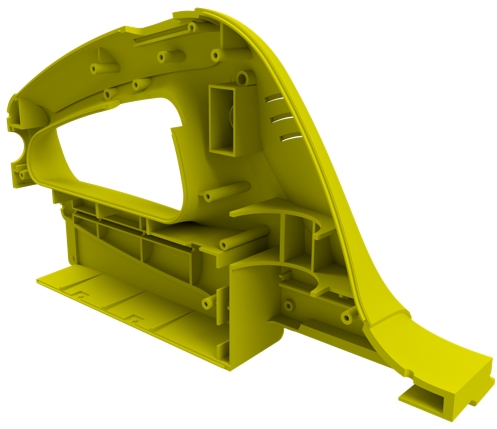
Plastic Part Design
Design and analyze plastic parts using specialized tools built for this purpose in Inventor. It provides algorithms and tools to ensure manufacturability of the parts.