

AutoCAD training for businesses
In-house AutoCAD courses for design teams in every industry — faster drafting, company-wide drawing standards, specialised toolsets and AutoLISP automation; trained on your own drawings by Autodesk Certified Professional instructors, with Autodesk certificates.
- 6modules from 2D
to automation - ACPAutoCAD Certified
Professional instructors - ATCAutodesk Authorized
Training Center
Even long-time AutoCAD users can work much faster
Most engineers are self-taught in AutoCAD and each drafts their own way: different layer names, inconsistent blocks, plot settings redone every time. In-house training brings the team onto one standard and teaches the under-used tools that save the most time.
One standard company-wide
Shared templates, layers, text and dimension styles and block libraries — every drawing meets the same standard.
Learn on live projects
Exercises come from your real projects; instructors solve the exact problems your team faces.
Automate repetitive work
Dynamic blocks, Sheet Sets, data extraction, Action Recorder and AutoLISP — hours of manual work saved every week.
AutoCAD learning path
Pick the modules that fit your team — the instructor combines them into one syllabus after the assessment.
AutoCAD 2D fundamentals
For beginners · all industriesDrawing and editing commands, layers, dimensions, text, hatches; layouts and plotting to scale.Advanced AutoCAD
Dynamic blocks · Xrefs · Sheet SetsDynamic blocks and attributes, external references, Sheet Set Manager, data extraction to tables.Drawing standards
Templates · CAD StandardsCompany templates, layers, text and dimension styles; checked with CAD Standards and synced across the team.Specialised toolsets
Architecture · Mechanical · Electrical · Map 3DUse the toolsets included with AutoCAD: architecture, mechanical, electrical, MEP, mapping and plant — for your discipline.AutoCAD 3D
Modelling · PresentationSolid, surface and mesh modelling; sections and views from 3D models; basic visualisation.Automation
AutoLISP · Action RecorderRecord macros with Action Recorder, write AutoLISP commands and add custom commands to the Ribbon.How the course runs
Skills and project assessment
The instructor reviews your drawings, templates and how the team uses AutoCAD today.
Tailored syllabus
Modules chosen by industry and role: drafting, standards, specialised toolsets, automation.
Hands-on sessions
Exercises are your real drawings; on-site, at OneCAD or online.
Test and certificate
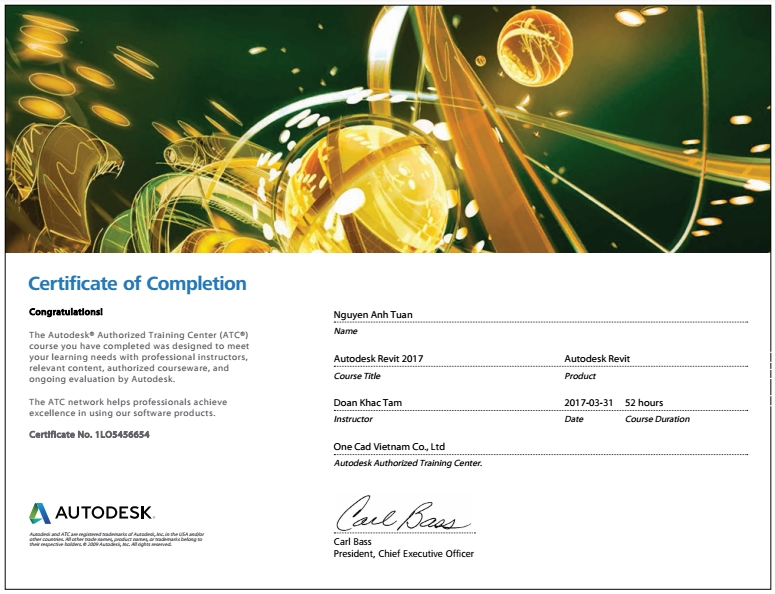
A final test on a real drawing and an Autodesk Certificate of Completion.
Standards hand-over
Templates, block libraries, CAD Standards files and AutoLISP commands built during the course are handed over.
 Image: Autodesk
Autodesk certification for AutoCAD users
Learners who complete the course receive an Autodesk Certificate of Completion. Engineers who need more can prepare for and sit the Autodesk Certified Professional exam at OneCAD — an Autodesk-authorised test centre.
- Autodesk Certified Professional: AutoCAD for Design and Drafting
- Verifiable credentials recognised worldwide
- An advantage in hiring and international projects
Companies trained by OneCAD

AutoCAD training FAQ
Should we learn AutoCAD or AutoCAD LT?
The 2D drafting is the same, so either works. Full AutoCAD adds 3D, AutoLISP automation and specialised toolsets; the course follows the version your company uses.
Which AutoCAD version is used?
The version your company uses. If you are about to upgrade, the instructor also covers the new features.
Can you help standardise drawings company-wide?
Yes — it is the most requested module: the instructor builds templates, layers, text and dimension styles, block libraries and CAD Standards checks with your team.
Do you teach AutoLISP and automation?
Yes. Learners record macros with Action Recorder, write simple AutoLISP commands for repetitive tasks and add shared custom commands to the Ribbon.
Is there an AutoCAD certificate?
Learners receive an Autodesk Certificate of Completion. OneCAD is authorised to run the Autodesk Certified Professional: AutoCAD for Design and Drafting exam.
How is AutoCAD training priced?
By number of learners, number of sessions and the modules chosen. OneCAD sends a syllabus and quote after a free assessment.
Your team uses several products? See all Autodesk corporate training
Get an AutoCAD syllabus for your team
Tell OneCAD your industry, team size and AutoCAD version — an instructor will send a syllabus and assessment schedule.