
Capture construction site photos with OpenSpace
What do our users say?
“The greatest value of this solution is its simplicity: take out your phone, press “Record,” start walking, then upload your images to the computer and finish. OpenSpace is 5 times faster than competitors and much quicker than manual photo capturing.”
JACOB FREITAS
LEVEL 10 CONSTRUCTION
How does OpenSpace work?
The operating principle of the solution is extremely simple, just in 3 steps, and AI technology will handle the rest for you.

Use the camera and tour the construction site as usual

Upload via phone or computer

View on the browser/app with a “Google Streetview” style
Preparation steps
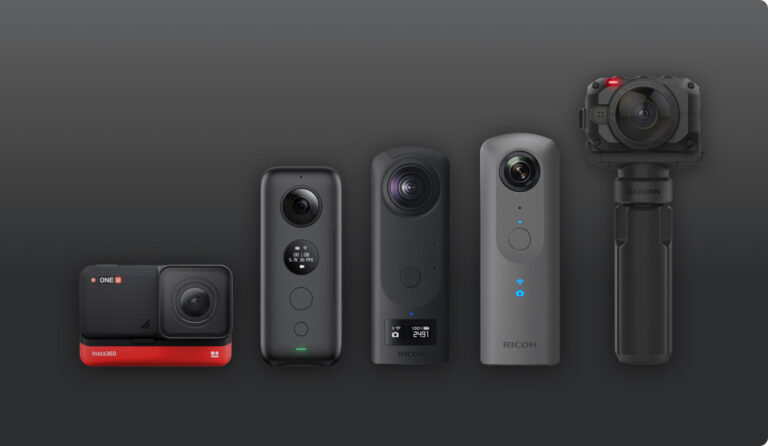
- Prepare the 360 camera (make sure the device is fully charged).
- A phone (Android or iOS) with the OpenSpace app installed.
- A hard hat with a camera mount.
- Upload all floor plans (PDF) to OpenSpace.
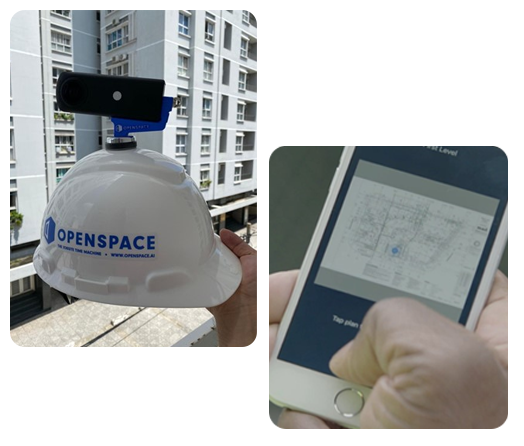
Record | Tour the construction site as usual
- Turn on the camera and connect it to your phone.
- Attach the camera to the hard hat.
- Open the OpenSpace app, select your starting position (where you’re standing).
- Tour the site as usual.
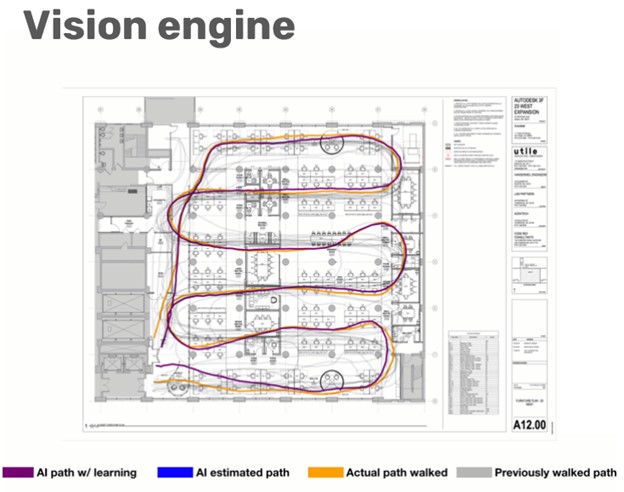
You won’t need to worry about how the camera records. OpenSpace’s artificial intelligence (AI) will automatically track your location on the floor plan and organize the captured data into the correct position.
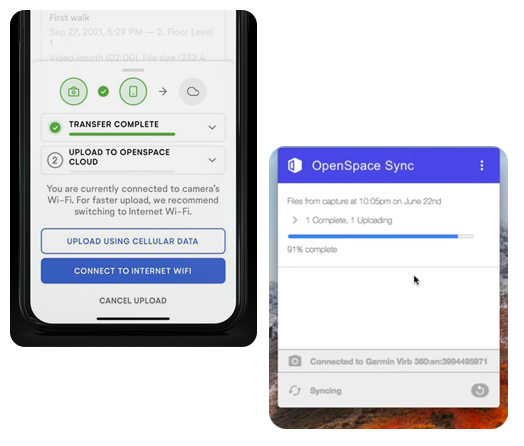
Upload | Upload the data from the trip to the OpenSpace platform
- The data will be uploaded to the OpenSpace platform once the trip is completed.
- You can upload via your phone or computer (it’s recommended to use a computer).
- The data will not be stored on your phone or computer, so it won’t take up storage space.
- If the site doesn’t have good internet connectivity, you can find a location with suitable internet access to upload the data. It will remain safe in the camera’s memory.
- The upload and data organization process is fully automatic; you just need to connect the camera and let the app handle the rest.
Review | Use intuitive, easy-to-use tools to review images of your construction site.
- The uploaded image data is automatically organized by OpenSpace’s advanced Vision Engine according to location on the floor plan and time.
- OpenSpace offers a simple and intuitive interface for you to access this data and use it in the most efficient way.
- Data on OpenSpace has unlimited storage, no limits on the number of recordings, and is stored for up to 10 years with just one payment package.
If you need advice, feel free to contact us right away
Related products


Introducing the next-generation construction site documentation software with powerful AI technology support. OpenSpace is the fastest, simplest, and most advanced tool available on the market.