
Solution for storing construction site images over time
Storing images is one of the essential needs on any construction site. However, doing this regularly is not a simple task – it requires manpower and time to perform tasks such as taking photos, organizing, labeling, and more. You will lose patience among thousands of images sorted into many different folders. Tracking them is already a challenge – not to mention checking and evaluating the quality of the project through these documents.
We will introduce to you a next-generation solution that helps you solve these issues in the following way:
AUTOMATIC. EASY. COMPLETE
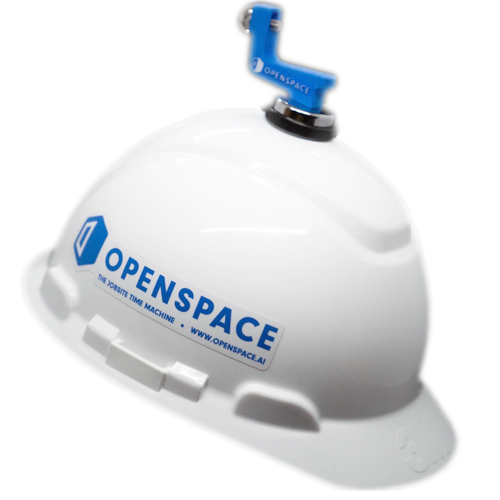
The OpenSpace solution
Create a complete 360 recording of your construction site. OpenSpace’s market-leading technology is the fastest and simplest solution available
OpenSpace will help you

FOCUS ON THE PROJECT, NOT THE DOCUMENTS
Image documentation is crucial for any project, but it takes a lot of time to gather using traditional methods. With OpenSpace, you can complete the image capture simply by walking around the site—no extra effort, no setup required. It’s that easy

SPEND LESS TIME ON-SITE, INCREASE PRODUCTIVITY
It’s not easy to coordinate bringing the right people to the site at the right time. With OpenSpace, you can avoid unnecessary trips to the construction site, allowing you to oversee multiple projects more effectively
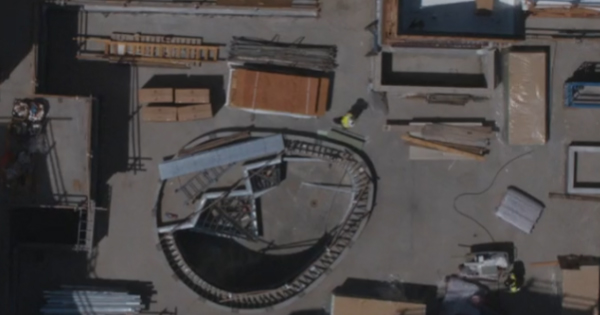
REDUCE DISPUTES OUTSIDE THE CONSTRUCTION SITE
The construction process moves quickly. Many questions will arise, disputes emerge—and these disputes can lead to time and cost losses to resolve. OpenSpace provides an ACTUAL record of the site, offering secure evidence for any disputes.

COORDINATE WORK MORE LOGICALLY AND EFFECTIVELY
It’s easy to get lost among countless RFIs, reports, and piles of paperwork. OpenSpace allows you to easily link visual information to streamline workflows, integrating with tools like BIM 360, PlanGrid, and Procore. You can also create automated reports from the system
OpenSpace helps you save time, money, and headaches
Here are some real-world data from customers about the benefits that OpenSpace brings to them.

RECORD 20 TIMES FASTER AND HAVE MORE COMPLETE DOCUMENTATION

SAVE 50% OF TIME AND TRAVEL COSTS

CONTROL THE PROJECT, REDUCE CHANGES AND REWORK COSTS
Key features
Split View | The construction time machine
Rewind time to see what the site looked like on previous capture days and compare progress with the present. Resolve issues by looking through ceilings, floors, and walls during construction
BIM Compare | Compare with the BIM model.
After you complete the capture process, BIM Compare helps ensure everything aligns with the BIM model. Compare progress side-by-side with the BIM model

Integrate OpenSpace into your current workflow
OpenSpace software integrates with the tools you use daily. View OpenSpace directly from your management software’s homepage and export image data directly to RFI, Issues, and more. We understand that users don’t want to re-enter this information multiple times.
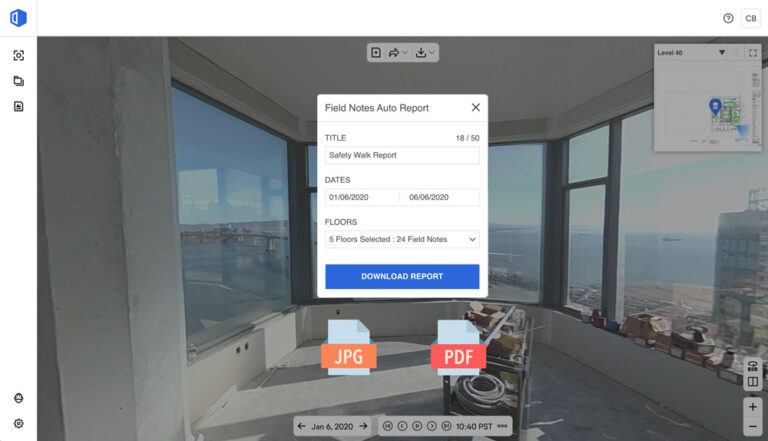
Share data the way you want
With OpenSpace, your data is yours, and you can share it the way you want. The system supports creating custom views and allows you to select the data you want to share. We also provide an offline handover solution. And with our automatic reporting feature, OpenSpace can even generate a PDF report with just a few clicks.
What do our users say?
“You can manually take 100 photos in each room, but I’m sure the one photo you need is likely among them. This is where OpenSpace excels—capturing the entire construction site comprehensively, automatically organizing everything, and making it easy to find whenever you need it.”
ADAM SETTINO
LEE KENNEDY COMPANY
If you need advice, feel free to contact us right away!
The difference of OpenSpace from other 360 solutions
EASY SETUP
Just a camera, a phone, and a few minutes of preparation, and you’re ready to start using it.
UNLIMITED
No limits on project users and storage capacity
10 YEARS OF STORAGE
With a one-time payment, your project data will be stored for 10 years.
SPEED
120 images per minute automatically, ensuring you don’t miss any areas on the construction site.
START WITH A 2D DRAWING
All you need is a 2D floor plan to get started with OpenSpace.
COMPARE BIM MODEL
Compare the actual construction site with the BIM model directly in the browser.
Related products


Introducing the next-generation construction site documentation software with powerful AI technology support. OpenSpace is the fastest, simplest, and most advanced tool available on the market.