
Plastic product design
Design and Production Process of Plastic Products
Design always goes hand in hand with production. A well-structured design process helps minimize errors during manufacturing while also identifying and addressing potential product risks early in the design phase.
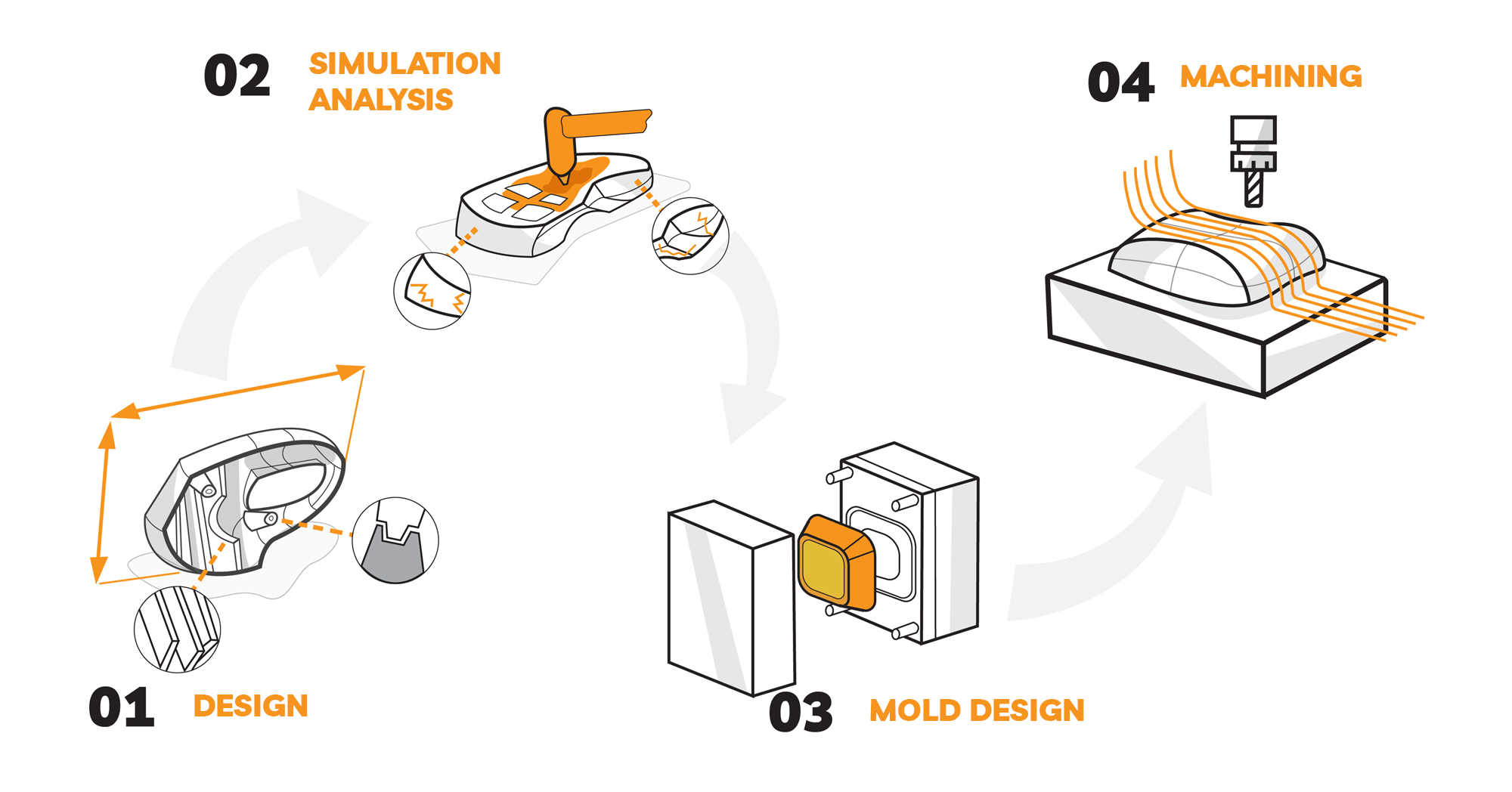

Design Tools
The defining characteristic of plastic products lies in their shape. Household plastic products, in particular, are increasingly demanded to meet both aesthetic and functional requirements. Therefore, design tools must enable designers to express their creativity while ensuring that products meet technical specifications.
Surface Modeling
Surface Design and Control
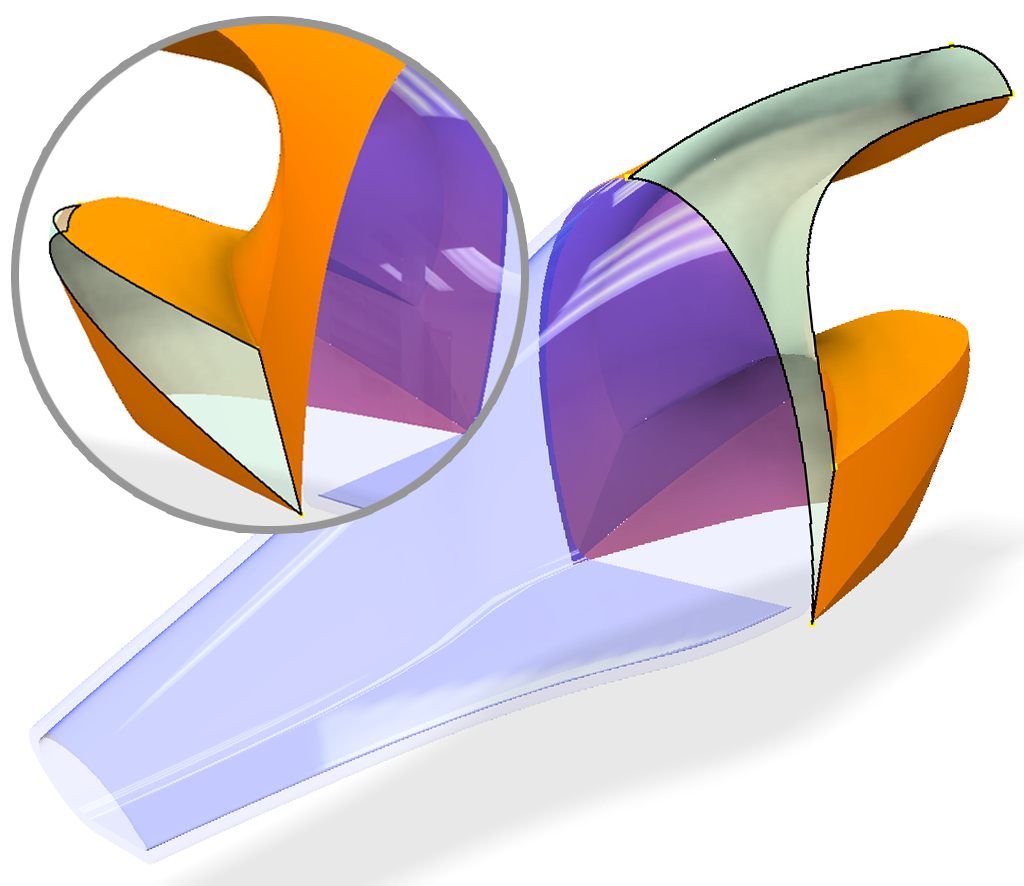
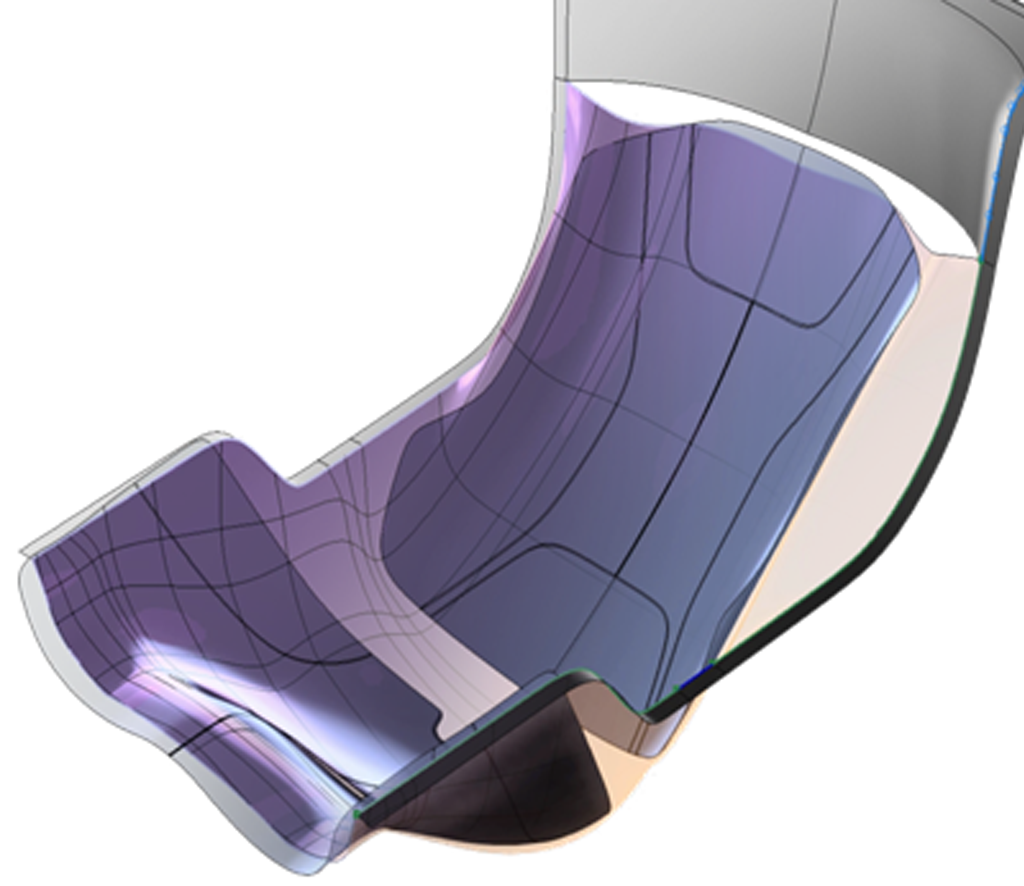
For any product, complex curved surfaces can be a challenge for any designer. Creating and customizing surface objects will help you better control your design.
The Surface design tools in Inventor Professional allow you to create and customize surface objects, ranging from simple to complex.
Freeform Modeling
No limits to creativity
Designing and developing ideas based on parameters can sometimes limit your creativity when creating complex and freeform objects.
Freeform Modeling provides a completely different design environment, allowing designers to develop their ideas through shapes or by modifying mesh objects, points, and surfaces to create products.
Plastic Part Design
Ensuring the Technical Accuracy of Plastic Products
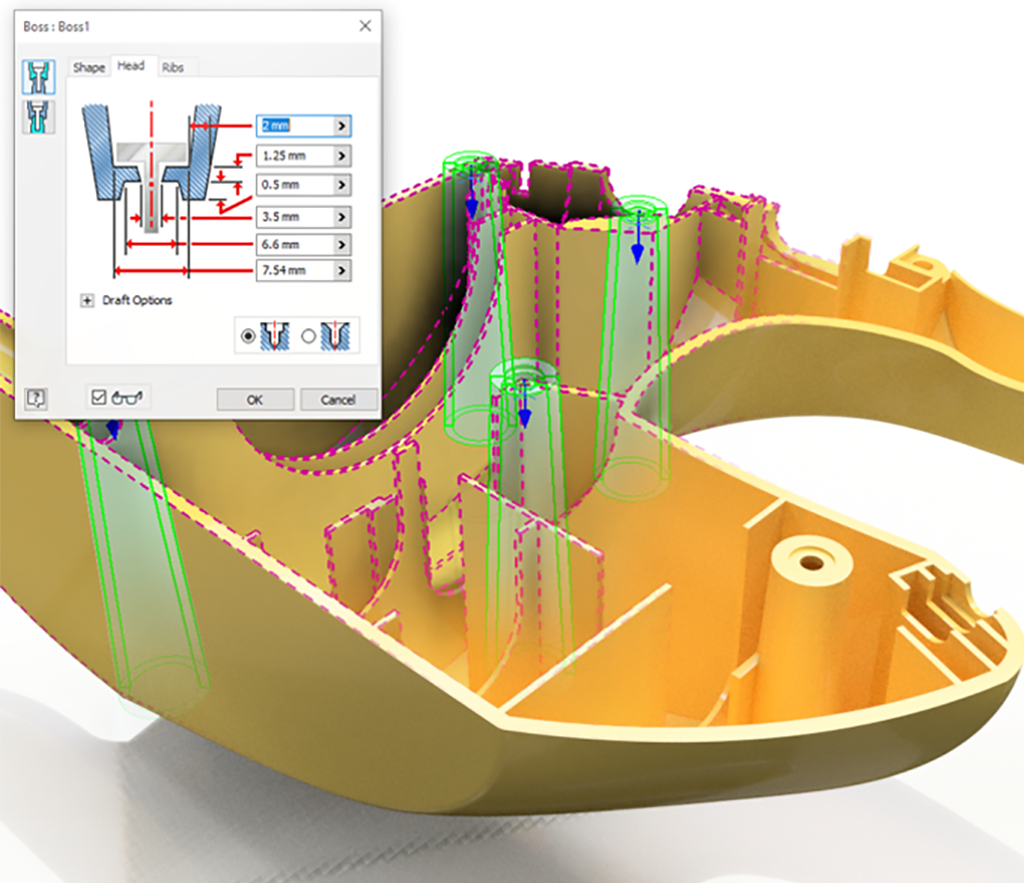
To ensure that plastic products can be manufactured and assembled easily, they must comply with technical requirements and standards for assembly points.
The Plastic Part Design toolset provides significant support throughout this process. Operations such as adding reinforcement ribs, designing snap-fit and assembly mechanisms for plastic parts, or defining draft angles are all standardized with this toolset. Designers simply need to input the appropriate parameters for each specific product type.
Analysis and Simulation of the Injection Molding Process
With the 3D model of the product and the software’s analysis and simulation capabilities, you can easily calculate key parameters of the injection molding process, predict potential defects, and address issues before production.
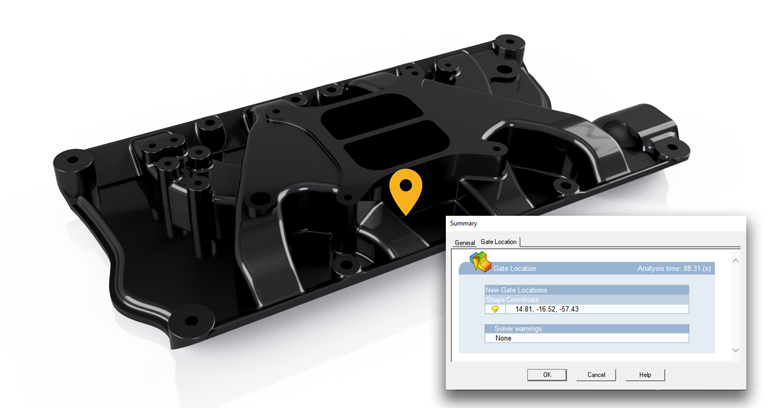
Calculating the Injection Gate Location
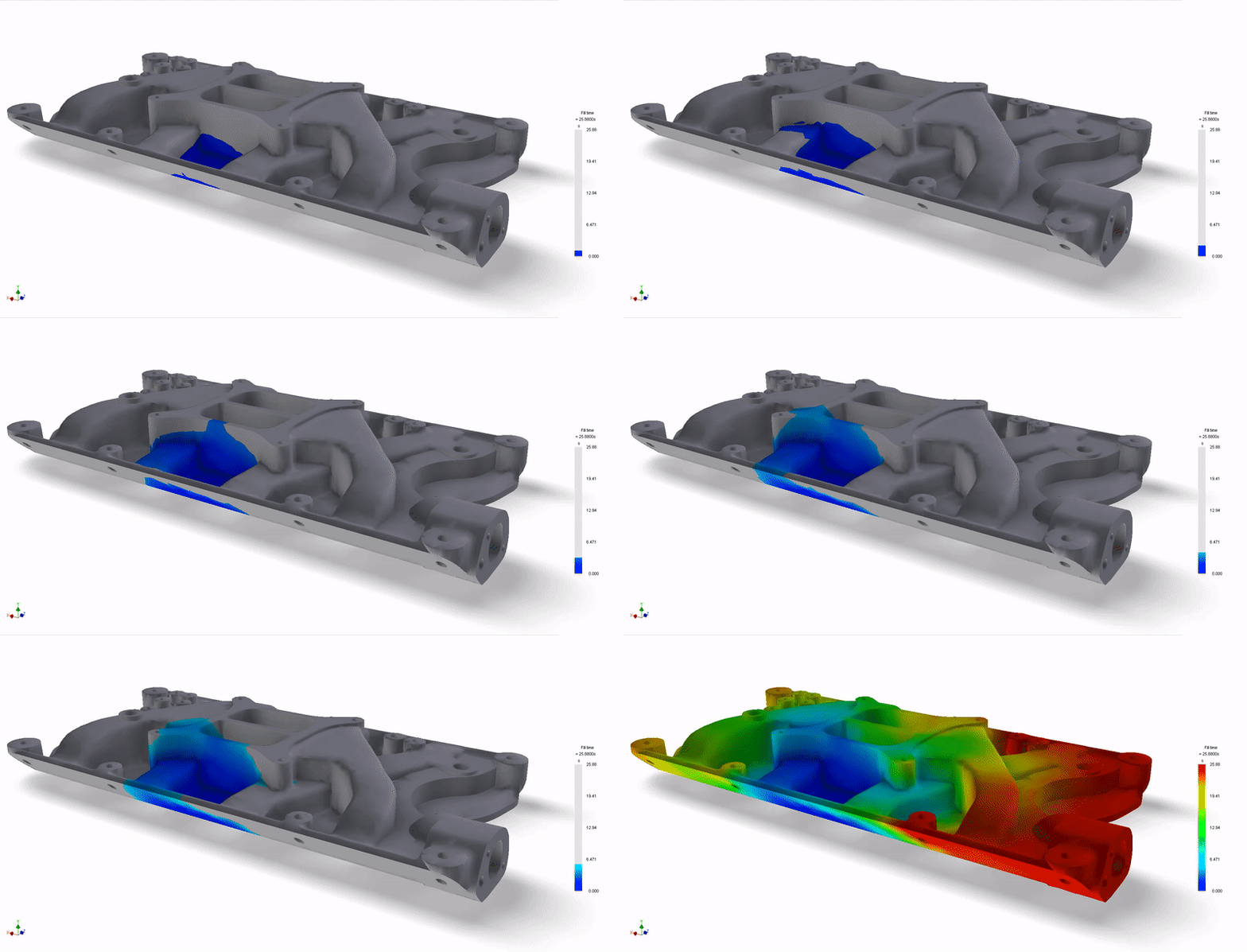
Filling Time of the Product
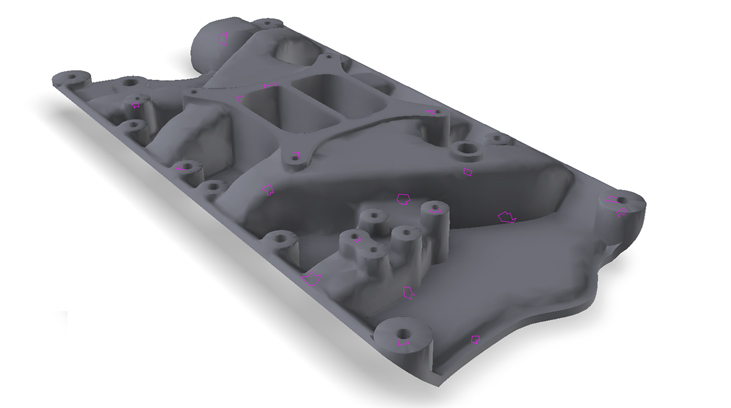
Air Trap Defects
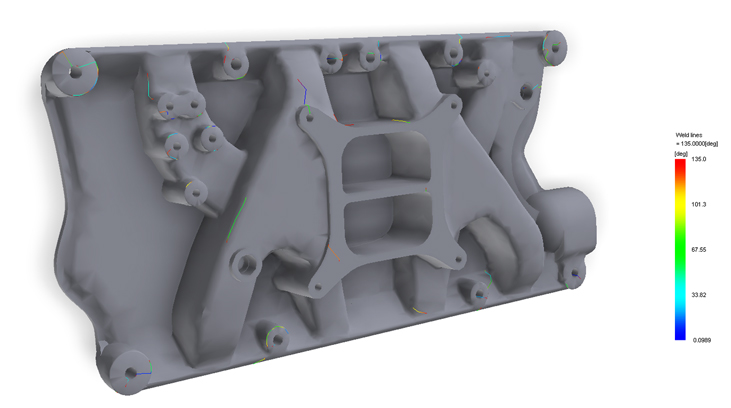
Weld Line and Crack Defects
Mold Design
In the design and manufacturing process of plastic products, mold design is an essential step. With the support of specialized software and a library of standard components, designers can easily carry out key steps in the mold design process, such as parting surface creation, guide system design, cooling system integration, ejector pin placement, mold base assembly, and other mold components,….
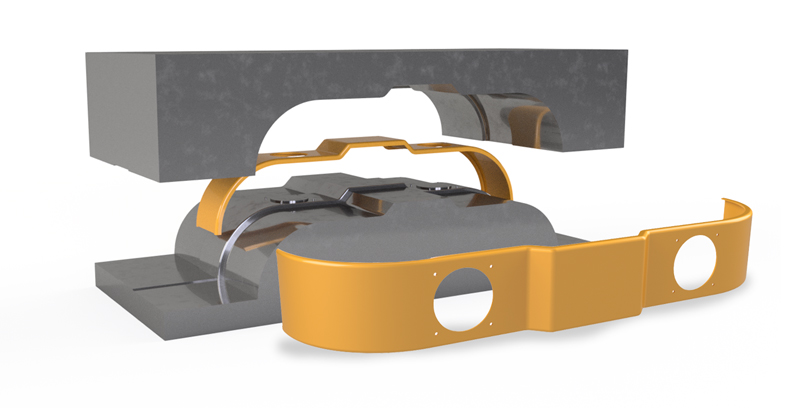
Creating Parting Surfaces and Product Mold Splitting
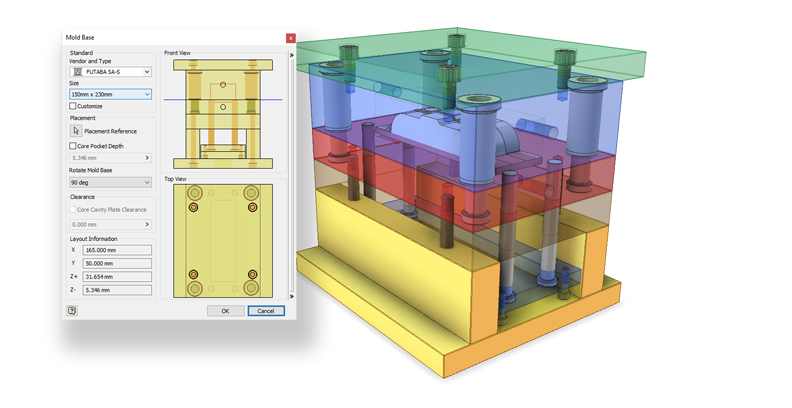
Creating the Mold Base
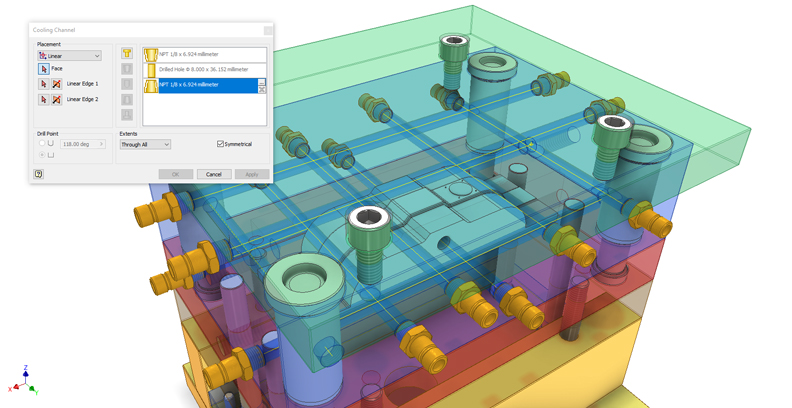
Cooling System
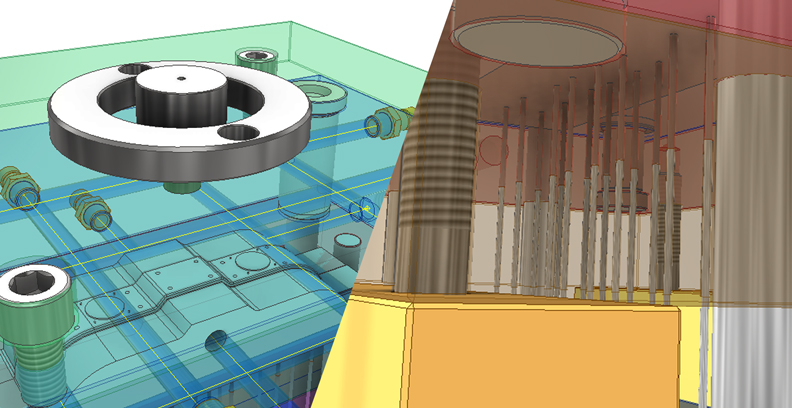
Other Mold Components
Mold Component Machining
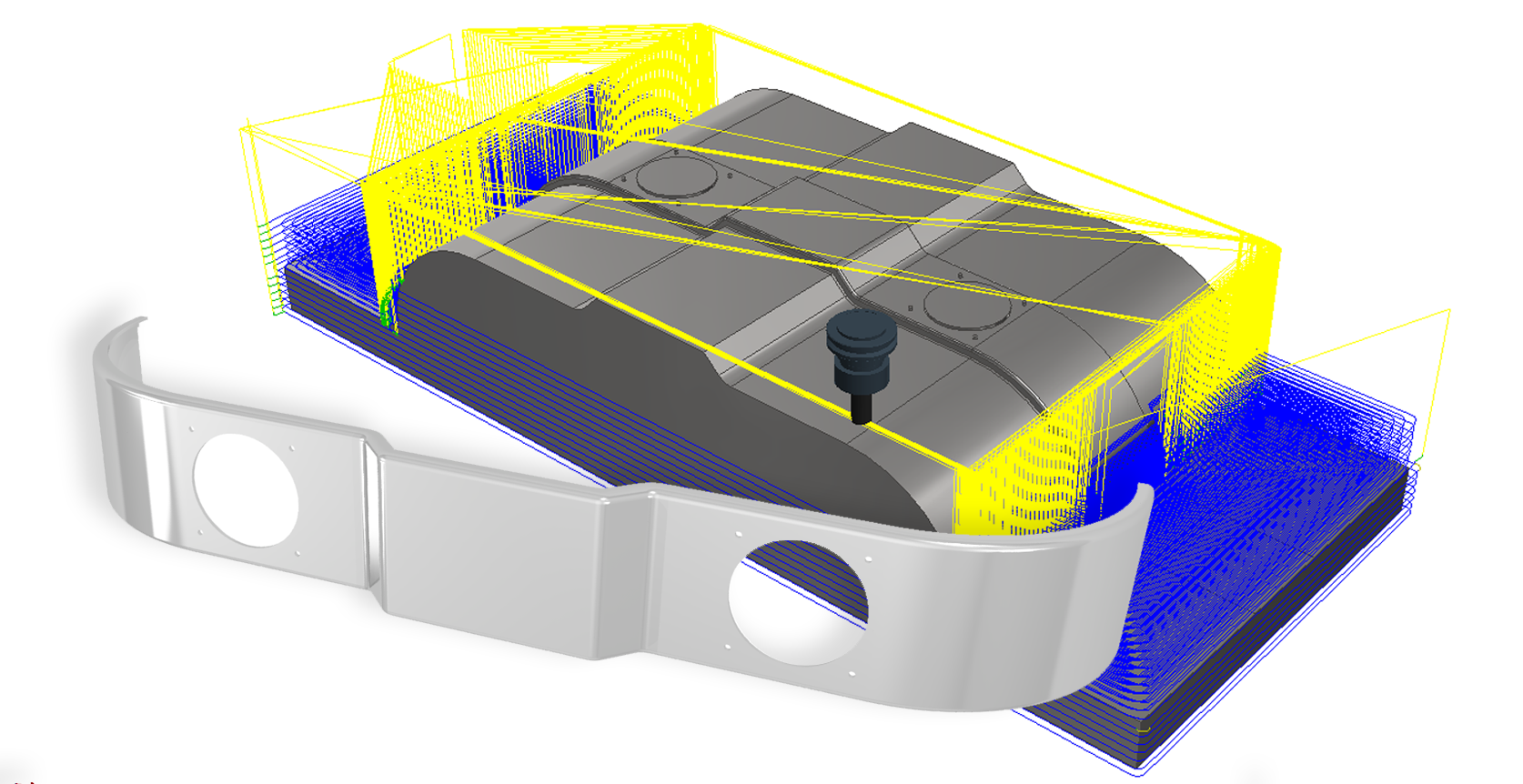
The final yet crucial stage is mold component machining. With the support of software solutions, designers can program machining operations for components across 2-axis, 2.5-axis, 3-axis, 3+2-axis, 4-axis, and 5-axis machining, accommodating a wide range of product complexities from simple to highly intricate designs.
Synchronized on a Single Platform
Combining mold design with Inventor Mold Design and machining programming with Inventor CAM allows you to work seamlessly on a unified platform while maintaining a strong link between design files and machining processes.
When your product design changes, the toolpaths are automatically synchronized, saving time on reprogramming.
Toolpath Customization Capability
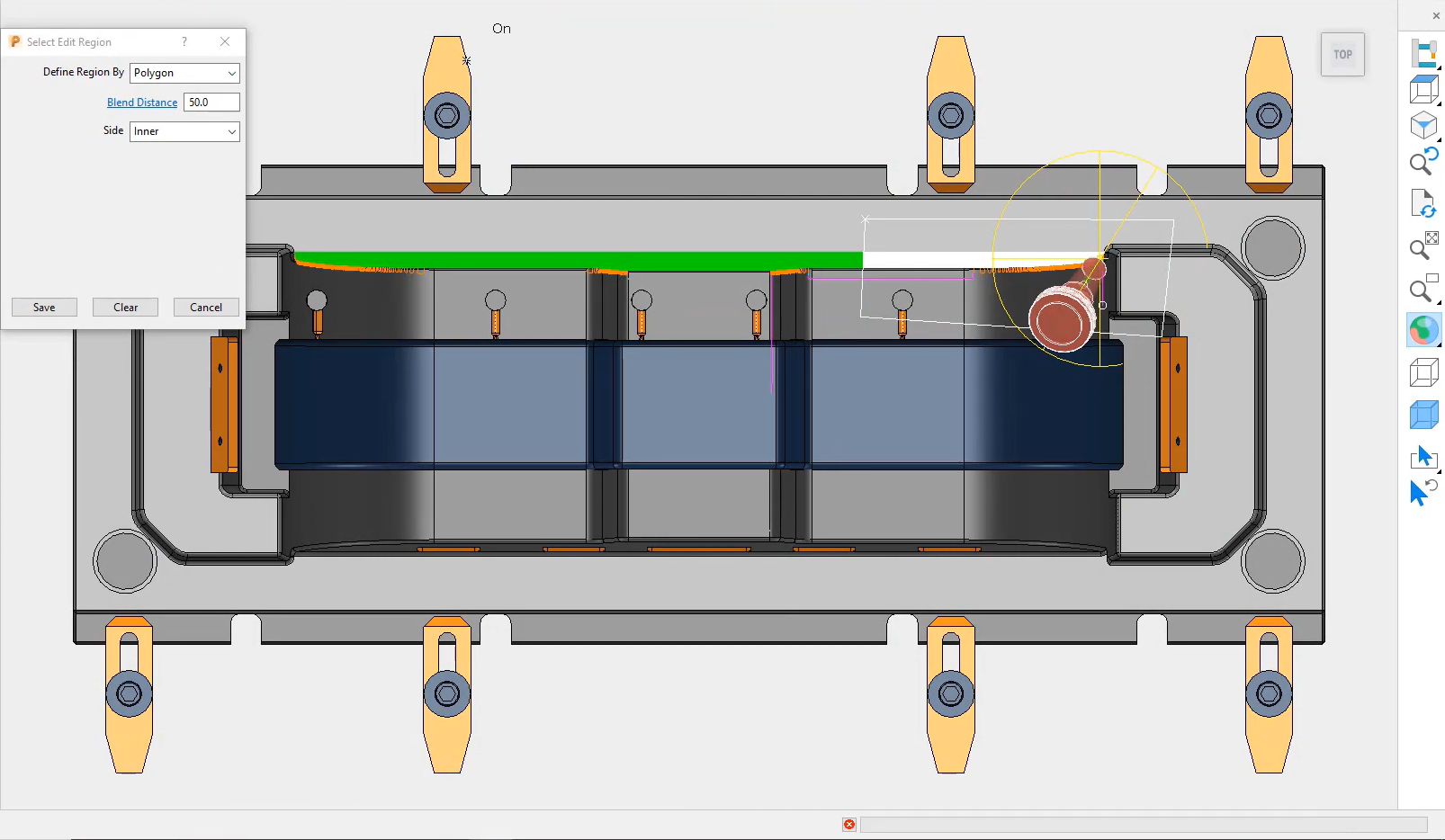
With an advanced CAM solution, you can program the machining of complex molds more easily and efficiently.
The ability to customize toolpaths in PowerMill allows you to optimize machining strategies to achieve the highest possible quality.
Q&A
What types of molds can Inventor Mold Design support?
Mold types such as two-plate molds, three-plate molds, single-cavity molds, multi-cavity molds, and stamping molds are all supported.
Can Inventor design complex plastic products?
With the Surface and Freeform design toolsets, Inventor enables you to bring any design idea to life.
Consult with Experts from OneCAD VN
Related products


Professional engineering design software for the mechanical industry. Supports detailed design, assembly, drafting, and presentation environments