

Software for Simulation and Analysis Support
Picture an aluminum part that has just been finish-machined and sits in the tray within tolerance. A few weeks later, the customer reports that it has cracked at a bolt hole. The shipment is stopped, and the mold and fixtures have to be remade. A single stress simulation at the design stage could have revealed that weak point.
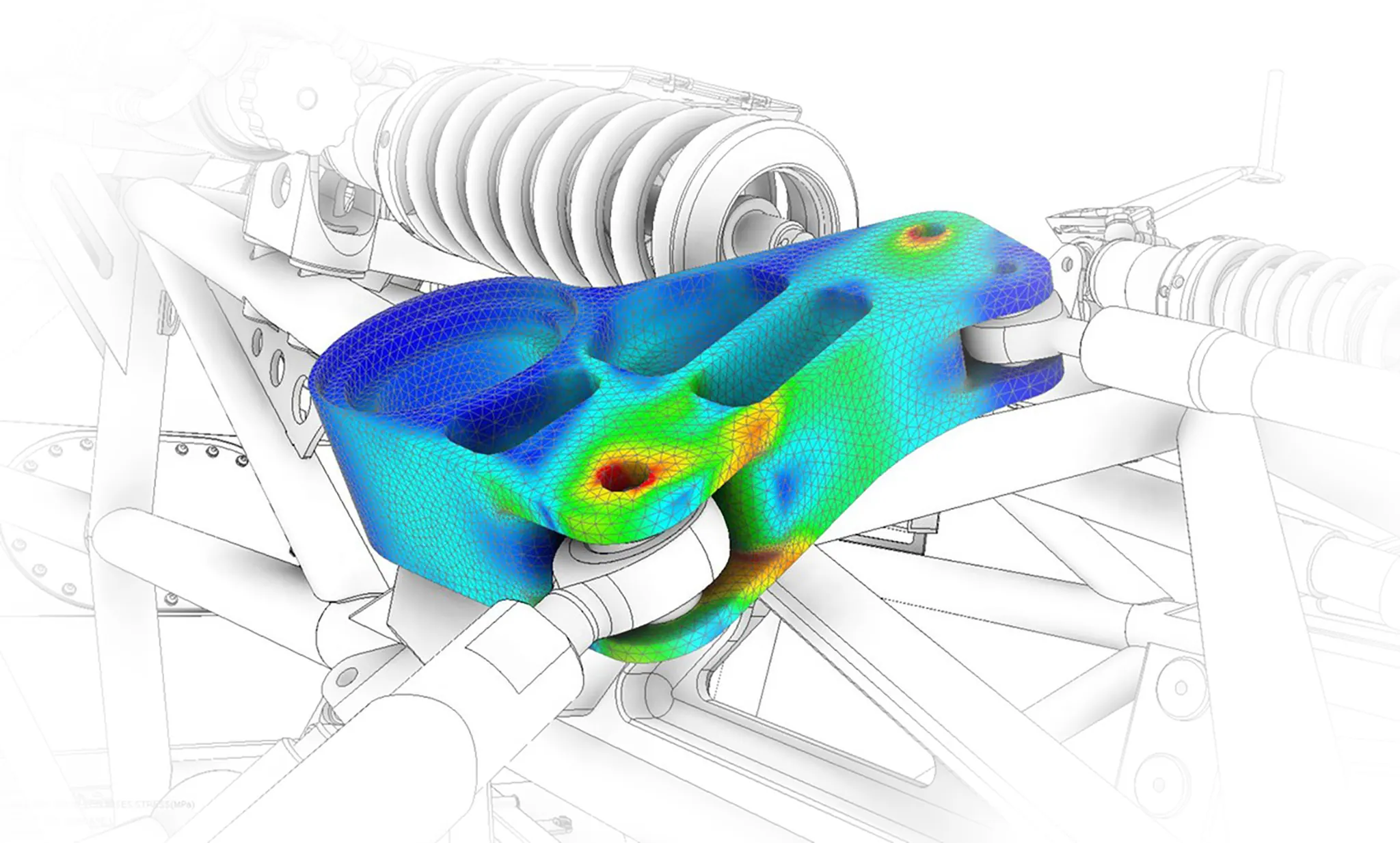
Using software to simulate the stresses acting on a product, as well as how the product deforms and changes in its real operating environment, is increasingly common in design. It helps designers detect problems early and cut cost and time before the product goes into production and manufacturing.
This article helps engineering managers and design engineers see which Autodesk solutions fit each problem, and where to start. The simulation discussed here is product simulation; if you are interested in verifying machining programs, see simulation and collision control in PowerMill (in Vietnamese).
Which simulation fields does Autodesk support?
According to the article an introduction to Autodesk simulation fields (in Vietnamese), Autodesk currently offers solutions in four fields: finite element analysis, computational fluid dynamics, plastic injection molding analysis and generative design.
Finite element analysis (FEA)
Predict product performance through linear, nonlinear, thermal and dynamic analysis to optimize the design and check changes in the real operating environment.
- Inventor Nastran: integrated in the Inventor interface, static and dynamic analysis
- Autodesk Fusion: structural, thermal and linear simulation, running in the cloud
Computational fluid dynamics (CFD)
Analyze fluid dynamics, thermal management and airflow to make the right design changes during product development.
- Autodesk CFD: flow, heat transfer, pressure, velocity
- Automatic meshing for complex geometry
Plastic flow simulation
Simulate the plastic injection molding process to optimize part design, mold design and process settings, and avoid hidden production defects.
- Moldflow: warpage, weld lines, air traps, cooling channels, cycle time
Generative Design
From the conditions, constraints and manufacturing methods you define, the software generates many design options to choose from, optimizing material while keeping the required function.
- AI generates a large set of options, each one evaluated by simulation
Finite element analysis: Inventor, Inventor Nastran or Fusion?
The simulation built into Inventor Professional supports Dynamic Simulation, Stress Analysis and Frame Analysis, which suits quick checks of basic strength, for example for consumer products or equipment that does not carry heavy loads.
When the problem is more complex, such as nonlinear loads, heat dissipation, vibration and frequency, Inventor Nastran is the better choice. Nastran was developed by NASA in the 1960s; it is integrated in the Inventor interface and supports analyses such as linear buckling, heat transfer and automated drop test. According to OneCAD, Inventor Nastran is only available when you deploy the Product Design & Manufacturing Collection. Read a detailed comparison in the differences between simulation in Inventor and Inventor Nastran (in Vietnamese).
If you design in Autodesk Fusion, you can simulate directly in the cloud; see Simulation Extension in Fusion (in Vietnamese).
Fluid flow and thermal simulation with Autodesk CFD
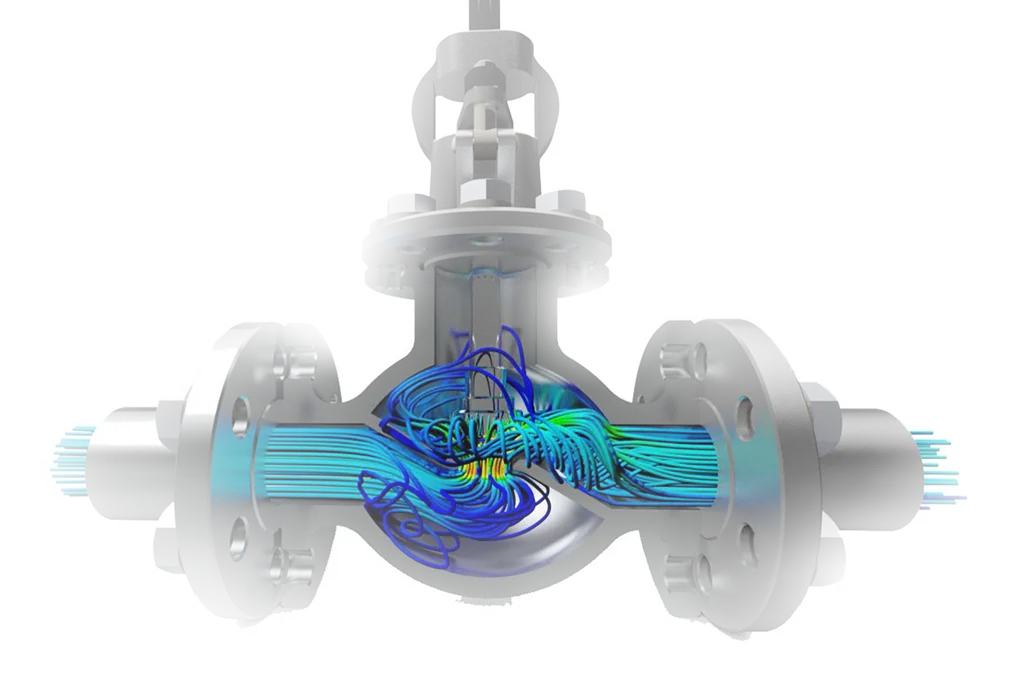
Autodesk CFD calculates and simulates the dynamics of liquids, gases and heat flow, helping engineers predict how liquids and gases travel and spread. It helps you understand pressure distribution, temperature ranges and flow velocity.
- Flow control applications: improve pressure drop and flow distribution.
- Heat transfer simulation, including electronics cooling.
- Automatic meshing based on the geometry of the object.
- Run analyses on the user’s computer, a workstation or remote HPC servers for large models.
Plastic flow simulation to reduce injection molding defects with Moldflow
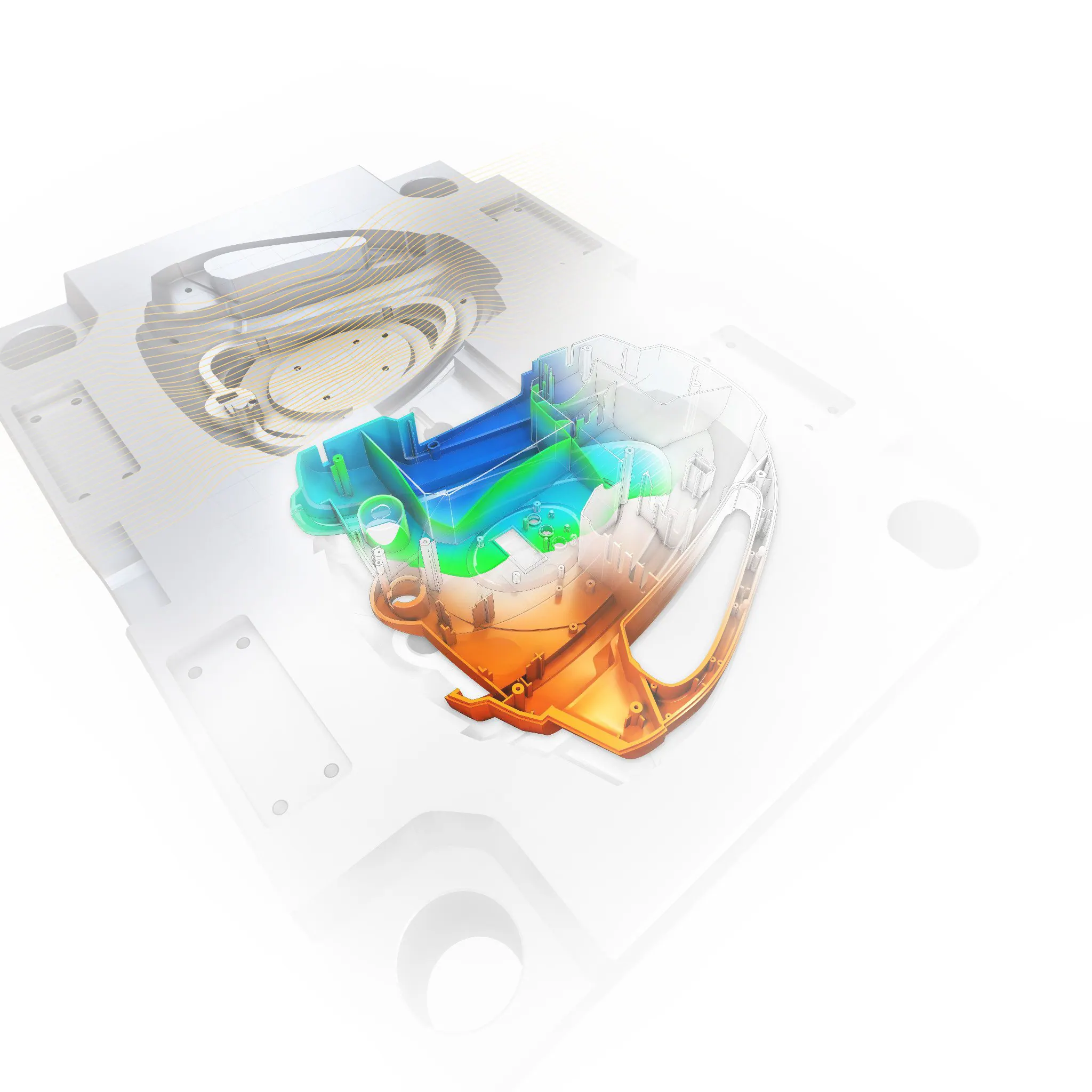
Moldflow helps fix defects in injection molded and compression molded plastic parts, such as warpage, mold cooling channel efficiency and cycle time. Unlike many tools that only simulate the part, Moldflow simulates all three steps: plastic part design, mold design and injection process settings.
- Mesh and analyze with a single click.
- Balance the flow between cavities to even out pressure and fill time.
- Create cooling channels with a wizard or import them from CAD.
- Run parallel solves on Autodesk cloud servers for large, complex parts.
See also Moldflow: a plastic flow simulation solution (in Vietnamese) and the plastic product design solution.
Generative Design: let AI propose lighter options that can still be machined
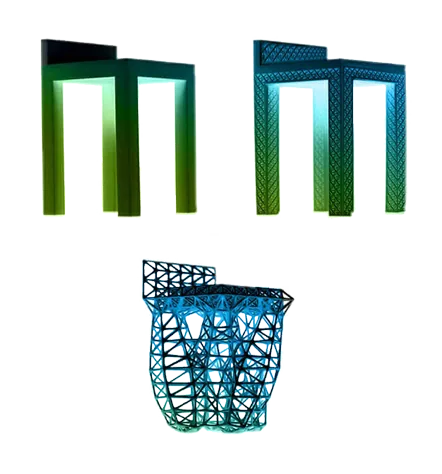
Generative Design takes performance requirements, material constraints and manufacturing processes as inputs, then uses algorithms to generate a large set of options. Each option is evaluated by simulation such as finite element analysis. For mechanical engineering, the key point is the manufacturing constraint: the result can be a part milled on 2.5 or 3 axes, not just a 3D-printed shape. See Generative Design features in Autodesk Fusion (in Vietnamese).
How have customers used simulation?
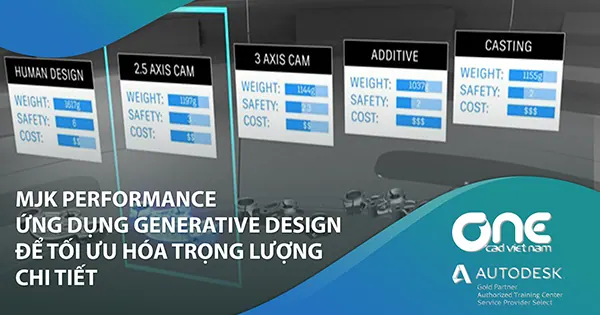
MJK Performance: 23% lighter triple clamp
MJK Performance makes premium parts for Harley-Davidson motorcycles. With Generative Design in Fusion, the company created lighter parts that can still be machined on 2.5 or 3-axis mills.
- 23% lighter part at a comparable cost, with no impact on safety during assembly.
- Only about 20 minutes to modify a design to match a custom style.
- 2.5 and 3-axis machining set up directly in Fusion.
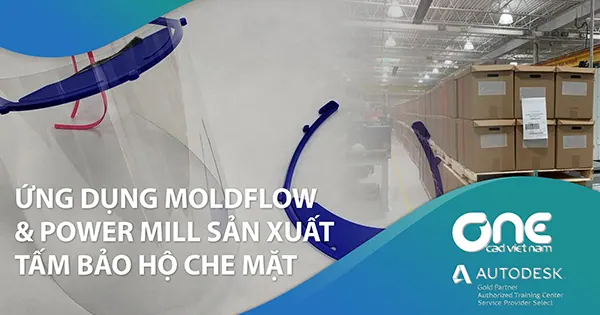
3-Dimensional Services: Moldflow and PowerMill speed up face shield production
When Kia Motors Manufacturing Georgia needed face shields during the COVID-19 pandemic, 3-Dimensional used Autodesk PowerMill and Moldflow to rapidly prototype, build the mold and produce.
- According to CEO David Krajci, the solution cut the time from design to product by up to 40%.
- More than 135,000 face shields in the first 4 weeks.
- CAD data received on Monday evening, material ordered the next morning and machining started that same evening.
OneCAD helps you choose and deploy simulation software
OneCAD is an Autodesk Gold Partner (since 2017), an Autodesk Authorized Training Center (ATC) since 2016 and was recognized as a Service Provider Select in 2020. Simulation is only valuable when the problem is set up correctly, so OneCAD works with you to define:
- Type of analysis: strength, thermal, flow or injection molding, so you choose the right product.
- Level of depth needed: quick simulation inside CAD or in-depth analysis.
- Training and support: helping users read the results and feed them into design decisions.
See also about OneCAD and the article 7 risks of designing a factory without simulation (in Vietnamese) if you are interested in simulation at the production line level.
Frequently asked questions about simulation and analysis software
Should I use the simulation in Inventor or Inventor Nastran?
The simulation built into Inventor suits quick checks of basic strength. When you need nonlinear, thermal, vibration or impact analysis, Inventor Nastran is the better fit, and it is only available in the Product Design & Manufacturing Collection.
How is Moldflow different from other plastics simulation software?
According to Autodesk, Moldflow simulates the whole process, including the part, the mold and the injection settings, rather than the part alone, and it also identifies the root cause of potential defects.
Can a modest computer run large simulations?
Moldflow lets you run parallel analyses on Autodesk cloud servers for large, complex parts. Autodesk CFD can also run on workstations or remote HPC servers.
Is Generative Design only for metal 3D printing?
No. The MJK Performance case shows that Generative Design can create parts that are machinable by 2.5 or 3-axis milling.
How do I get started?
Contact OneCAD with a description of your problem to get advice on the right simulation product.
Try simulation on your own part
Send OneCAD a part or mold that is causing problems, and our engineers will help you choose the right simulation tool. Contact OneCAD.
Related products


Autodesk Fusion (formerly Fusion 360) connects your whole workflow with CAD, CAM, CAE and PCB in one cloud platform. Buy licenses from OneCAD Vietnam.


Autodesk Moldflow simulates plastic flow in the mold to predict warpage, balance runners, design cooling and optimize injection molding processes.


Autodesk CFD simulation software from OneCAD Vietnam: fluid flow, heat transfer, electronics cooling and HVAC/MEP analysis for engineers. Get a quote.