


A nesting tool for Inventor that optimizes sheet metal layouts, built right into a convenient CAD design environment
TALK TO AN EXPERTDOWNLOAD FREE TRIAL
or call 0919-019-964
What is Inventor Nesting?
Autodesk Inventor Nesting reduces manufacturing costs by optimizing the nesting of blanks (sheet parts).
- Create multiple nesting studies with different material and packing options.
- Compare the efficiency and cost of each study to maximize the profitability of your fabrication work.
- Specify allowed orientations to keep the material grain direction consistent, for appearance or to prevent cracking.

Nesting tool: convenient, professional sheet nesting inside the Inventor CAD environment
Inventor® Nesting is integrated into the Inventor CAD environment and optimizes the layout of shapes on sheet material. Export cutting paths for fabrication.
Inventor CAM is included with the Product Design & Manufacturing Collection
Autodesk’s software collection for mechanical design and manufacturing, the Product Design & Manufacturing Collection (PDMC), provides a full set of tools to design, validate and manufacture your products, including:
- AutoCAD
- Inventor Professional
- Inventor CAM
- Inventor Nastran
- Inventor Nesting
- Inventor Tolerance Analysis
- And many more
Enjoy the best deals at
OneCAD Vietnam, Autodesk’s strategic partner in Vietnam.
Key functions
of Inventor Nesting
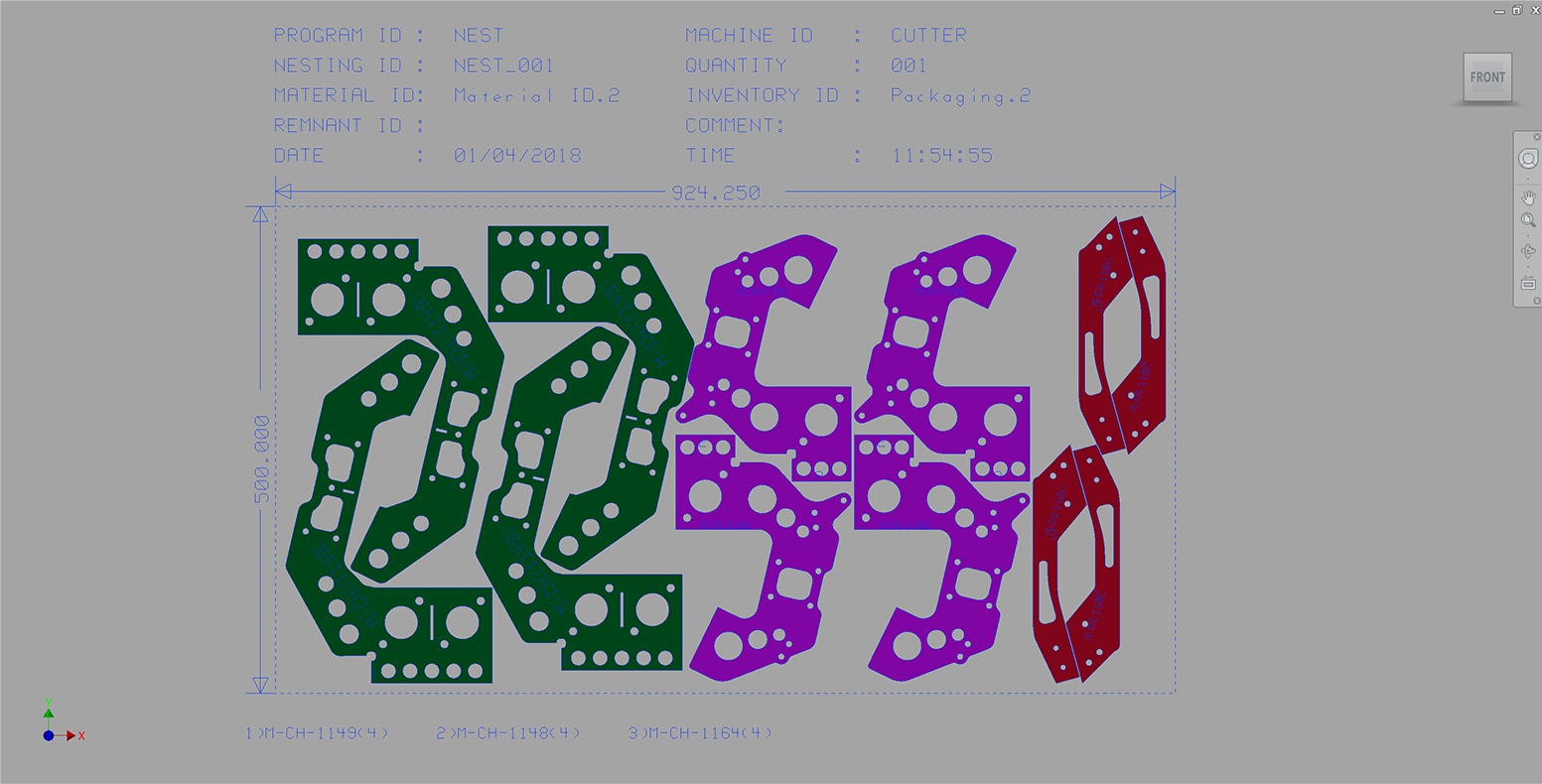
Automated true shape nesting
Optimize the placement of sheet parts to save material. Automate material usage in flat sheet cutting.
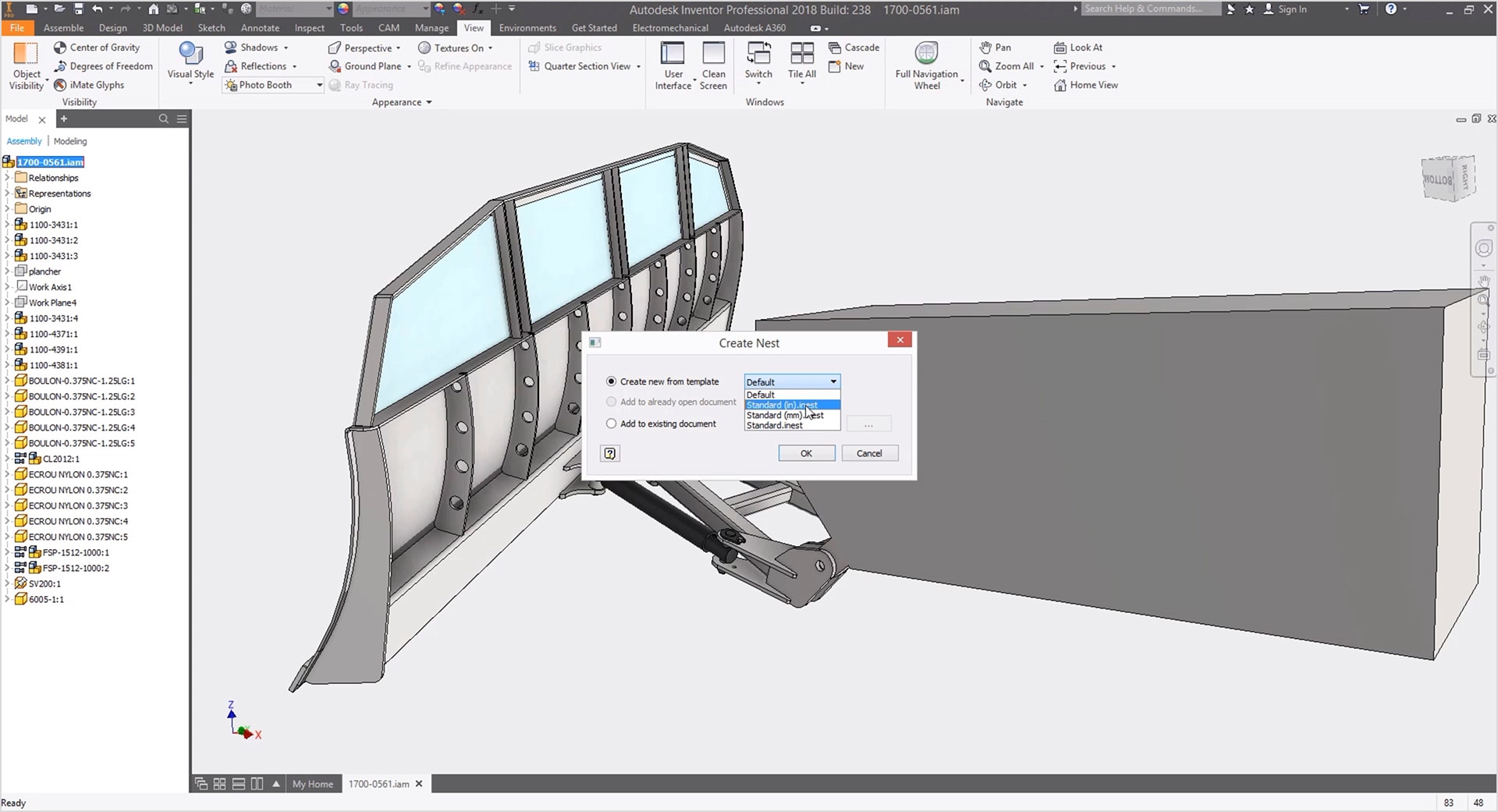
Inventor AnyCAD
Supports sheet metal parts and assemblies modeled in Inventor, or imported DXF files. Work entirely within Inventor.
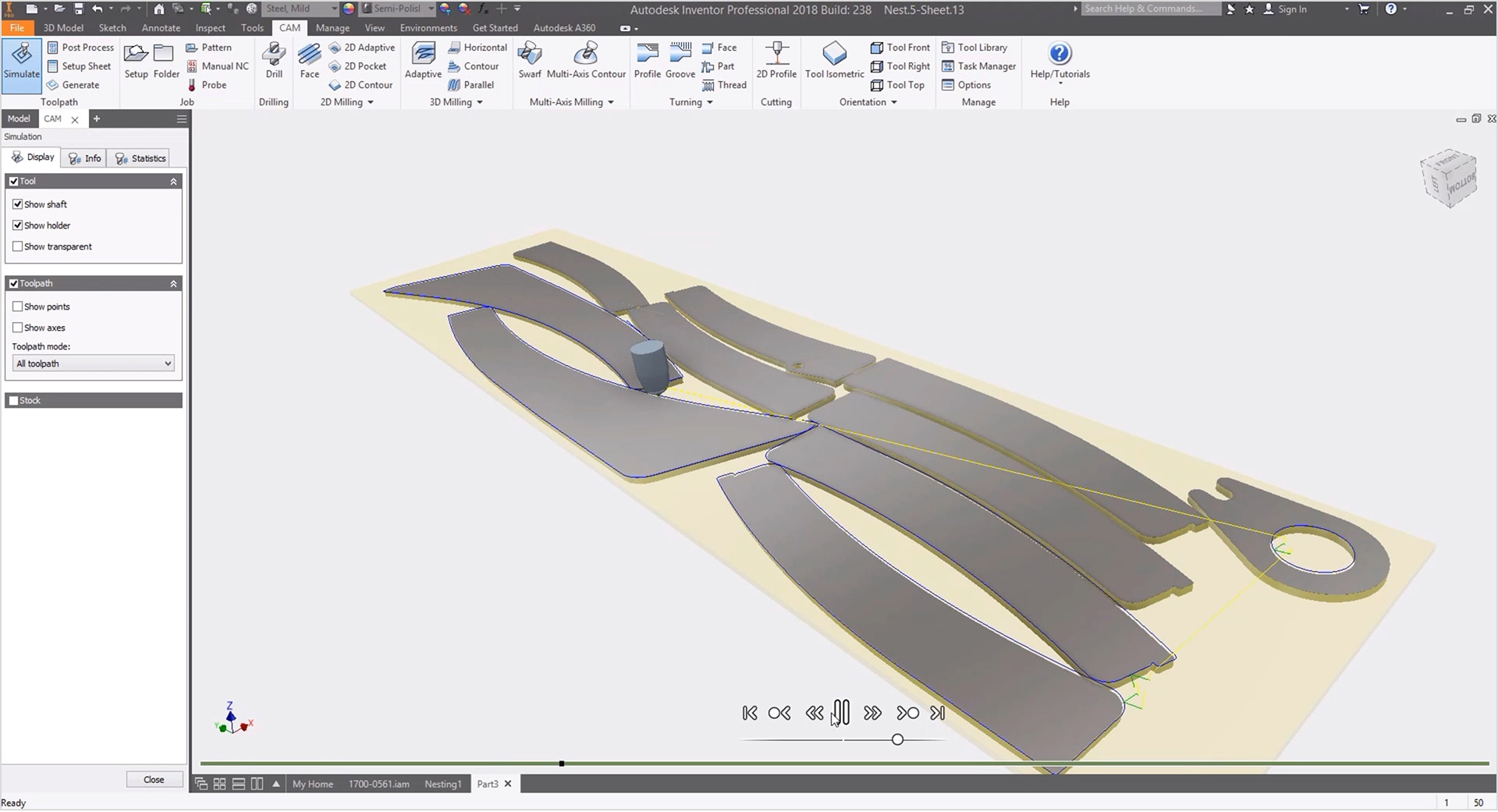
A simpler workflow for creating cutting paths
Create 3D models of the parts and cutting toolpaths with Inventor CAM, or export to DXF and use the DXF files in AutoCAD with other toolpath software.
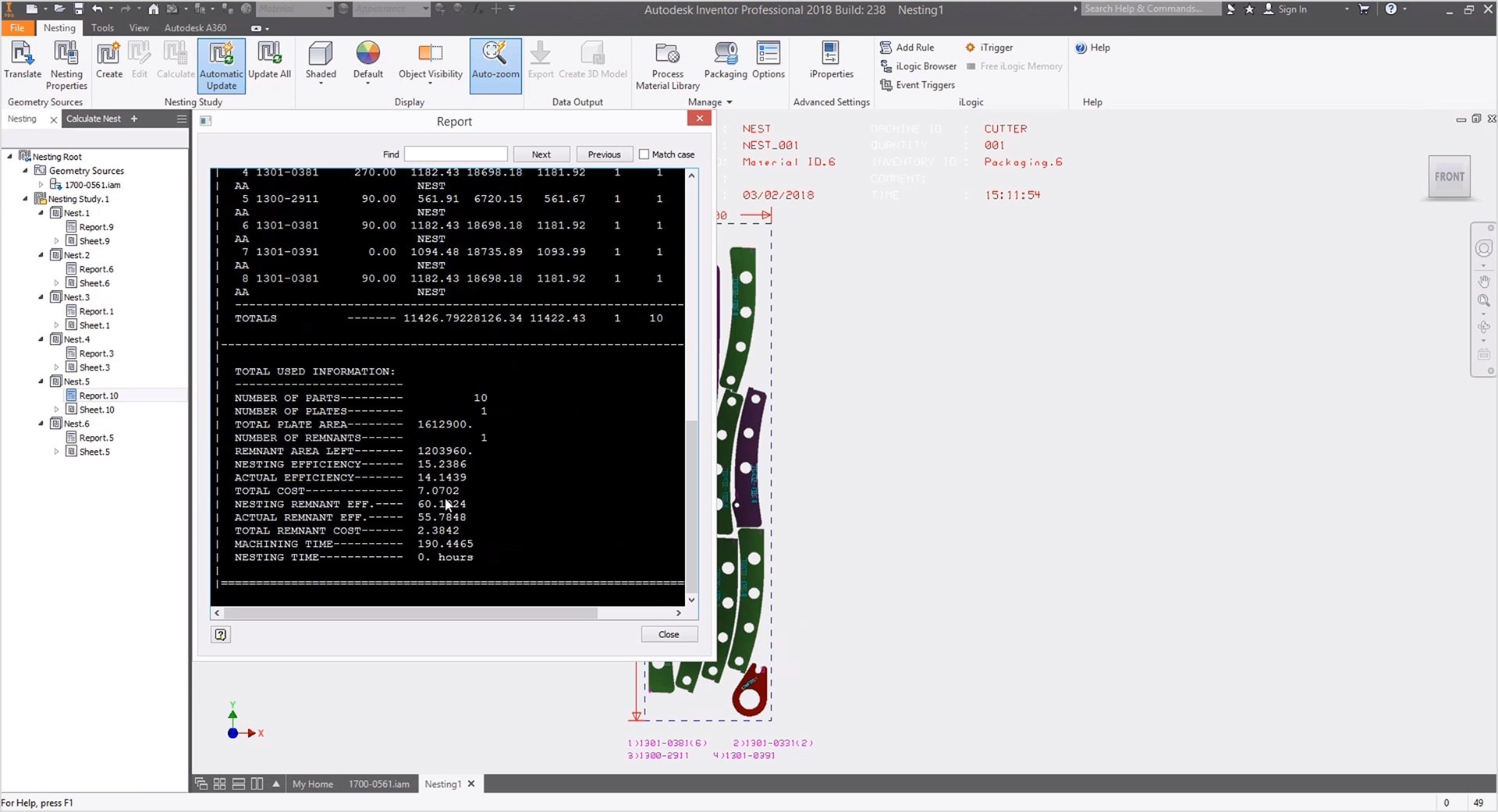
Compare nesting efficiency
Easily review and compare nesting studies through reports for each one. Get detailed figures such as efficiency, total cost, machining time and more.
Advantages of Inventor Nesting
OneCAD Vietnam provides consulting on using Autodesk Inventor Nesting or migrating to it from other software.
So what are its advantages?
Synchronized with the CAD environment
Fully synchronized with the Inventor Professional CAD environment, simplifying your workflow with no switching between applications.
Fewer applications
AnyCAD in Inventor reads files directly from other design applications (SolidWorks, CATIA, Creo and more), so you can use Inventor whatever software the CAD model was created in.
Lower licensing costs
Inventor Nesting is included in the Product Design & Manufacturing Collection, which also contains AutoCAD, Inventor Professional, Inventor CAM, Nastran, Nesting and more at a very reasonable cost.
Frequently asked questions
What is Autodesk Inventor Nesting used for?
Autodesk Inventor Nesting is used to create optimized nests for flat parts, minimizing scrap after cutting from raw stock.
Who uses Autodesk Inventor Nesting?
Engineers and designers use Autodesk Inventor Nesting to create efficient nests for parts cut from flat material.
Which versions of Autodesk Inventor Nesting can I use?
Autodesk lets you install and use the current version (2026) and the three previous versions (2023, 2024, 2025). Installers are listed in your Autodesk Account when you deploy the software.
Note: you need to install Inventor Professional before installing Inventor Nesting.
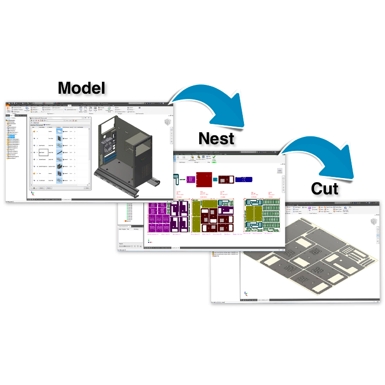
Inventor Nesting is a solution included in the PDMC. It is not licensed separately.

Using the Product Design & Manufacturing Collection (PDMC) is the best option for both performance and cost if you need at least one of the following combinations:
Inventor Professional + AutoCAD
Inventor Professional + 3DsMax
Inventor Professional + Nesting
Inventor Professional + HSM (CNC)
Inventor Professional + Nastran In-CAD
Success Stories
Duy Tan Plastics – Win of the Day
The leading Company of Plastics in Vietnam deployed comprehensive Solutions of Autodesk for design, simulation, analysis, manufacturing,… With recent pandemic, investment is always considered very carefully but not for technology adoption and workflow management. After…
Consulting & Solutions
Frequently asked questions about OpenSpace
OpenSpace FAQ: pricing, compatible 360° cameras, data security, number of users, and integrations with Procore, BIM 360 and Autodesk Construction Cloud.
- Integrated Digital Delivery
- BIM Information Lifecycle Management
- AI-Enhanced 360° Camera Monitoring for Construction Sites
- Applying BIM and CDE in the Construction Phase: Effective BIM Implementation through Autodesk's CDE
Inventor Professional vs Autodesk Fusion: Which One to Choose?
Autodesk Fusion vs Inventor Professional: compare system requirements, cost, cloud storage and ease of use to choose the right 3D mechanical CAD software.
Event: Autodesk AI in Construction – Enhancing Productivity and Unlocking the Value of Project Data
Discover Autodesk AI in construction and learn how AI can support design workflows, unlock project data, and enhance productivity with Revit and Autodesk Forma.
OneCAD Vietnam at the Vietnam Industrial & Manufacturing Fair – VIMF 2026
On June 17, 2026, OneCAD Vietnam participated in the Vietnam Industrial & Manufacturing Fair (VIMF) Binh Duong 2026, held at the World Trade Center…
Autodesk and OneCAD Celebrating AXANH 10-Year Anniversary Event
Vietnamese version On June 16, 2026, Autodesk and OneCAD Vietnam were honored to attend the 10th anniversary celebration of AXANH, a leading Vietnamese engineering…
Views: 12,904