
Introduction
Design is a key part of the product development process. Once completed, design data is often used in downstream stages such as simulation, analysis and machining programming. It is also shared with stakeholders for review and feedback before the product is finalized.
Autodesk offers several free Viewer solutions that let users easily view, share and exchange design data without installing a full CAD application. In this article, OneCAD Vietnam introduces three popular Viewer applications suited to different needs for sharing and viewing 2D and 3D design data.
Autodesk DWG TrueView
First, Autodesk’s free offline solution for viewing 2D drawings is DWG TrueView. This free application lets users open, view and share DWG files without installing AutoCAD.
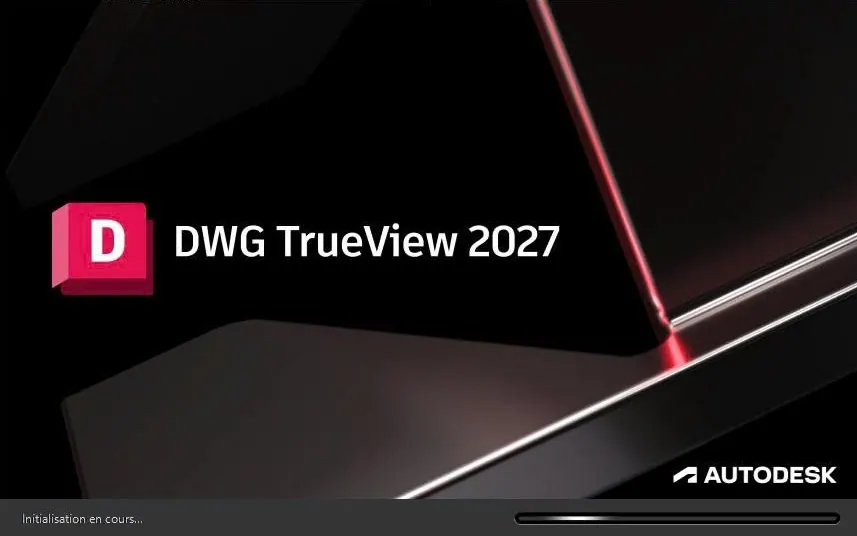
Autodesk DWG TrueView start screen
Key features:
- Support for 2D and 3D formats: View DWG and DXF drawings and models in both 2D and 3D.
- Measure: Measure detailed dimensions.
- Plot: Set up drawings for printing on paper or publishing to PDF.
- DWG Convert: Easily convert DWG files saved in newer AutoCAD releases to file formats of earlier releases. This ensures compatibility when sharing with users who run older software versions.
Key features of Autodesk DWG TrueView
Navisworks Freedom
For large construction projects or complex factory production line systems that require multidisciplinary coordination, Navisworks Freedom is a free offline viewer. It lets stakeholders view and review the project’s federated model together.
Navisworks Freedom supports viewing and reviewing project models
Key features:
- Support for advanced formats: Open and work with NWD files and 3D DWF files.
- View the federated project model: Give stakeholders access to a visual view of the model.
- Measure and review information: Provides tools for accurate dimension measurement in 3D space. Users can view the Properties of the parts that make up each component.
- First Person mode: Viewers can activate simulated “walk” or “fly” modes to move through the building or factory from a realistic viewpoint. This feature delivers a vivid visual experience, making it easy to verify spaces and quickly spot design clashes.
Key features of Navisworks Freedom
Autodesk Viewer
Autodesk Viewer is Autodesk’s online model viewing platform. It lets users view and share many CAD formats directly in a web browser. Users of AutoCAD, Inventor, Revit and several other Autodesk applications can all use this tool to share their designs with stakeholders.
Autodesk Viewer supports many different CAD formats directly in the browser, making it easy to share and exchange design data without installing software. When users need to share a file, they can also quickly set up simple sharing options with the Shared Views feature in supported Autodesk applications such as AutoCAD. After uploading a model to Autodesk Viewer, users can create a link to share with stakeholders. Under Autodesk’s current policy, this link remains valid for a limited period. Recipients simply open the link in a browser to view the model, with no additional software to install.
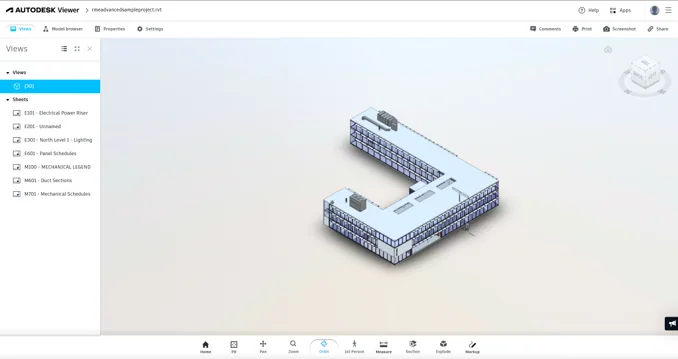
Model viewing tools in Autodesk Viewer
Although it runs in the cloud, Autodesk Viewer still provides a full set of tools for viewing and reviewing models, such as Pan, Rotate, Explore, Measure, Zoom and Section. Notably, it also supports Markup and sending feedback to the model’s designer.
Key features of Autodesk Viewer
To learn in detail how to create share links and use Autodesk Viewer, please refer to the tutorial video produced by OneCAD Vietnam below.
Summary
These three free Autodesk Viewer applications let users easily view, share and exchange design data without incurring license costs. Depending on the data type and use case, users can choose the right solution to improve coordination throughout design and project delivery.
| Specification |  |
 |
 |
|---|---|---|---|
| Platform | Desktop application | Desktop application | Web browser |
| Best for | AutoCAD drawings | BIM models | Multi-format CAD & BIM files |
| Hardware requirements | Medium | High | Low |
| Supported file formats | .DWG, .DXF | .NWD, .DWF | Multiple 2D and 3D formats |
| Data storage | Local computer storage | Local computer storage | Cloud-based |
| Data security | ✅ | ✅ | ✅ |
| Measurement and information review | ✅ | ✅ | ✅ |
| Information exchange | — | — | ✅ |
| Issue management and tracking | — | — | ✅ |
Source: Autodesk
Minh Quân
Viewers are for viewing and measuring only. When you need to federate models from multiple disciplines, run clash detection or perform 4D schedule simulation, use Navisworks Manage. The product page compares Manage, Simulate and Freedom and outlines the purchase steps.