PowerMill training for businesses
In-house PowerMill courses for mould shops and precision machining — optimised roughing, surface finishing, simultaneous 5-axis, collision simulation and post processors for your own machines; trained on real parts, with CAM specialist support after the course and Autodesk certificates.
- 6modules from 3-axis
to automation - CNCTrain on your own
parts and machines - ATCAutodesk Authorized
Training Center
Machine complex moulds faster and more safely
For moulds and 5-axis parts, every machine hour and every collision is expensive. PowerMill calculates toolpaths quickly on heavy models, optimises cutting time and checks collisions before code reaches the machine — but only pays off when programmers use the right strategies.
Cut machining time
Vortex roughing, rest machining and the right finishing strategies — less machine time and longer tool life.
Learn on live projects
Exercises come from your real projects; instructors solve the exact problems your team faces.
Post processors for your machines
Holder and fixture collision checks and 5-axis virtual machine simulation — NC output runs straight away.
PowerMill learning path
Pick the modules that fit your team — the instructor combines them into one syllabus after the assessment.
PowerMill fundamentals
Model prep · Stock · ToolsImport and check models, set up stock, workplanes, tool libraries and cutting data.3-axis machining
Roughing · Semi-finishing · FinishingOptimised roughing (Vortex), rest machining, steep-and-shallow finishing and surface-quality control.5-axis machining
3+2 · Simultaneous 5-axis3+2 positioning, simultaneous 5-axis, automatic tilt for collision avoidance, blades and deep cavities.Mould & die
Electrodes · Deep ribs · CornersFull mould workflow: cavity and core, deep ribs, tight corners, electrodes; templates for repeat parts.Simulation & verification
Collisions · Virtual machine · NC checksCheck holder and fixture collisions, simulate the virtual machine and compare the machined model with design before cutting.Post processors & automation
Posts · Macros · TemplatesSelect and tailor post processors to your controllers; macros and templates that standardise programming across the shop.How the course runs
Skills and project assessment
A CAM specialist reviews your products, CNC machines, controllers and current programming workflow.
Tailored syllabus
Modules chosen by level: new programmers, 3-axis programmers, 5-axis and mould specialists.
Hands-on sessions
Exercises use your real parts; at your shop, at OneCAD or online.
Test and certificate
A final project: program and simulate a real part and output NC code, plus an Autodesk Certificate of Completion.
Standards hand-over
Tool libraries, machining templates, post processors and virtual machines built during the course are handed over.
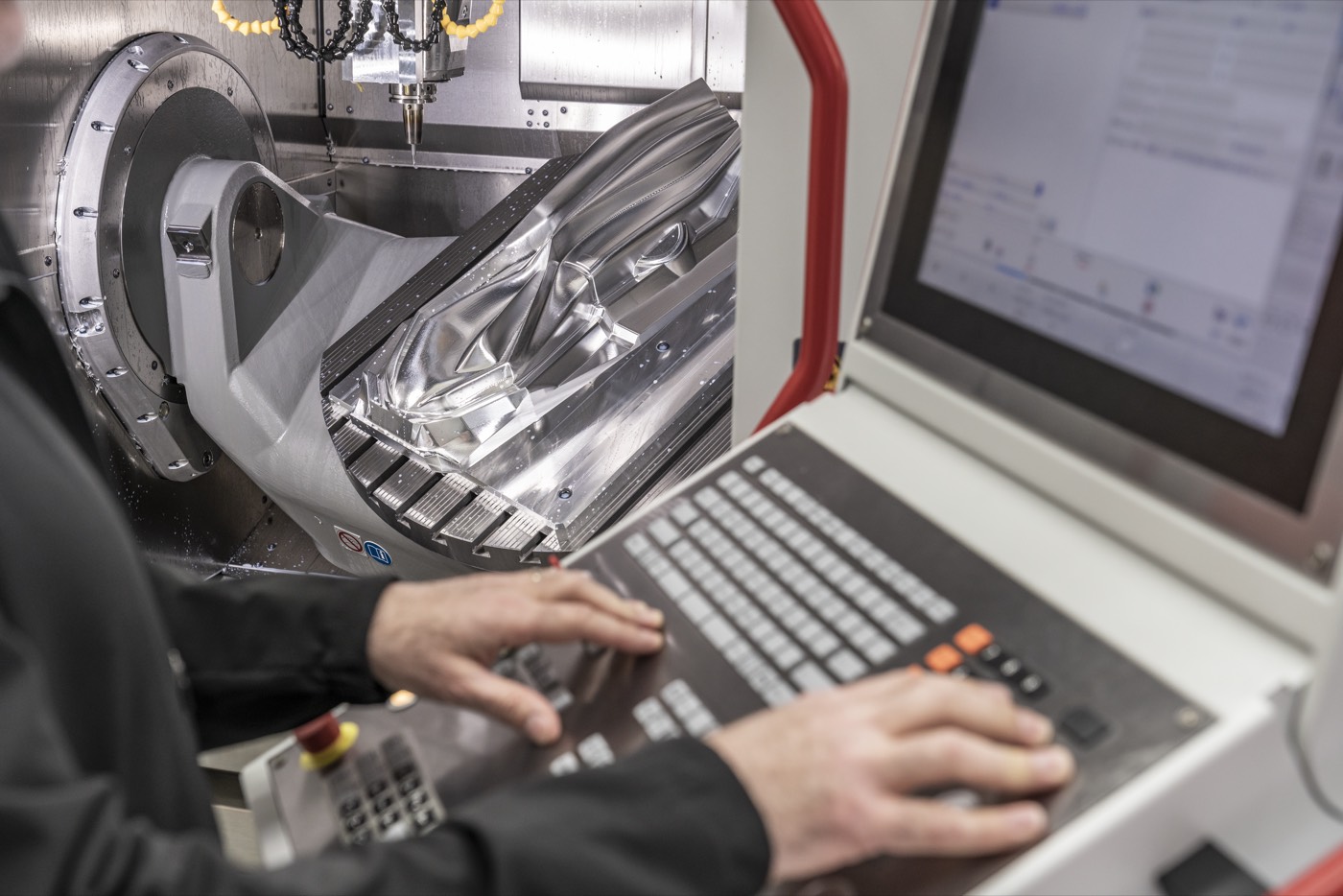 Image: Autodesk
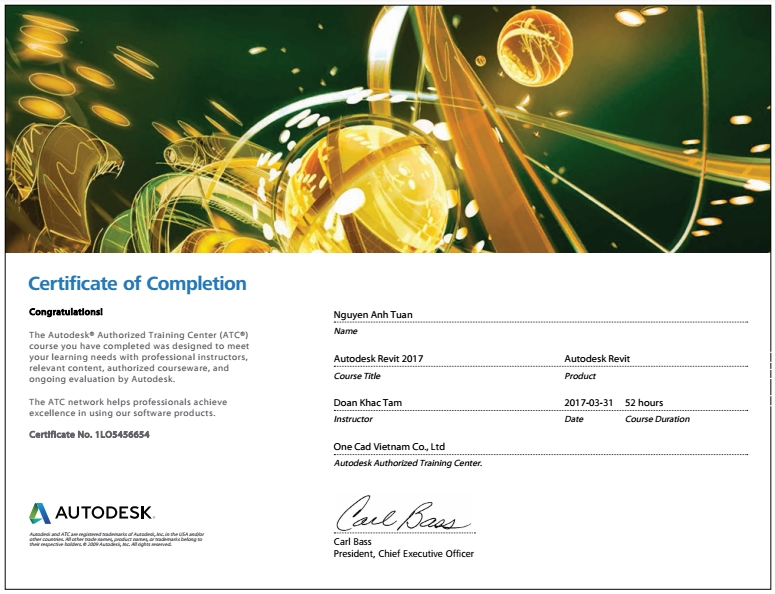
Finish with an Autodesk certificate
Learners who complete the course receive an Autodesk Certificate of Completion. Engineers who need a higher Autodesk Certified credential get advice on the right exam and can sit it at OneCAD, an Autodesk-authorised test centre.
- Autodesk Certificate of Completion via an authorised centre
- Verifiable credentials recognised worldwide
- CAM specialist support for your shop after the course
Companies trained by OneCAD

PowerMill training FAQ
How is PowerMill different from Fusion and Inventor CAM?
PowerMill is built for complex work: moulds, simultaneous 5-axis, high-speed machining and large, heavy parts. Fusion and Inventor CAM are lighter, suited to general mechanical parts. Autodesk now supplies PowerMill together with Fusion (Autodesk Fusion with PowerMill).
Which CNC machines does the course cover?
You train on your own parts and machines. The instructor selects or tailors post processors for your controllers (Fanuc, Siemens, Heidenhain, Mitsubishi…) so NC programs run straight away.
What do we need before learning PowerMill?
Basic machining, tooling and drawing-reading knowledge helps. Those new to CAM start with PowerMill fundamentals and 3-axis machining before moving to 5-axis.
We use another CAM system — is switching to PowerMill hard?
OneCAD offers conversion: we map your current process, rebuild tool libraries, templates and post processors in PowerMill, then train programmers in parallel until the new workflow is stable.
Is there a certificate?
Learners receive an Autodesk Certificate of Completion through OneCAD's Authorized Training Center.
How is PowerMill training priced?
By number of learners, number of sessions and modules chosen (3-axis, 5-axis, mould, post processors). OneCAD sends a syllabus and quote after a free shop assessment.
Your team uses several products? See all Autodesk corporate training
Get a PowerMill syllabus for your shop
Tell OneCAD your products, CNC machines and team size — a CAM specialist will send a syllabus and shop assessment schedule.